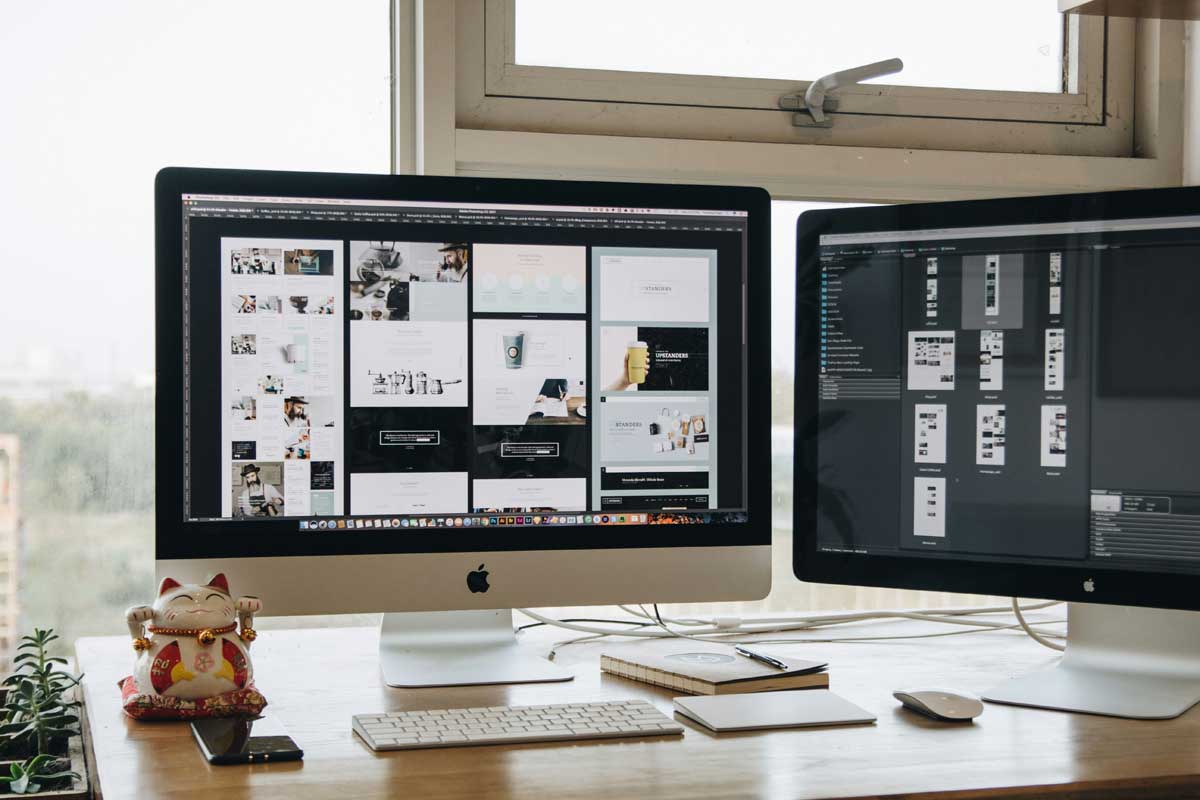
 Photo by Tran Mau Tri Tam on Unsplash
Web design inspiration can show up anywhere. A screenshot saved from a social feed, a landing page we barely remember, a newsletter preview, or a site we saw once and forgot to bookmark can all become useful starting points later. The problem is that great ideas are often hard to trace once they leave our screen. Names disappear, URLs get lost, and folder labels like “inspo_final2” do very little to help us.
That is where reverse image search becomes valuable. Instead of starting with keywords and hoping we use the right terms, we can start with the image itself. We upload a screenshot, a crop, or even a visual fragment, and let the search tool help us find similar designs, original sources, and related work across the web.
For people working in web design, product, marketing, content, or creative direction, this is more than a convenience. It is a practical way to study patterns, find context, and build stronger visual references. Used well, reverse image search helps us understand why a design works, not just how it looks.
Design is visual by nature. A site may be described as “clean,” “bold,” or “modern,” but those words only go so far. Two pages can share the same labels and still feel completely different. One may use generous whitespace and quiet typography, while another may lean on sharp contrast and heavy visual rhythm.
Text search struggles when the style matters more than the topic. Reverse image search handles that gap better because it looks at the image itself. That means we can search by layout, spacing, color, composition, and overall mood.
This is especially helpful in web design because the things we often want to study are visual patterns rather than exact topics. Maybe we want more examples of split-screen hero sections. Maybe we are exploring editorial-style product pages. Maybe we are trying to understand how different designers handle cards, typography, or navigation. Reverse image search helps us get there faster.
Reverse image search is useful for more than identifying a screenshot. It can support several parts of the design process.
A screenshot shared on social media or saved from a blog often loses important context. Reverse image search can help us find where it came from in the first place. That original source may include the full page, the project case study, the design team, or even a write-up explaining the choices behind the layout.
This matters because context gives us better references. A cropped hero section tells part of the story, but the full site may reveal the system behind it.
Once we upload an image, search tools often surface visually similar pages. That can help us find examples with the same structural approach, such as centered hero layouts, stacked sections, large typography, or unusual navigation patterns.
This is useful when we know the feeling we want, but not the right words to describe it.
Trends often appear first as fragments. We see a few screenshots with the same font treatment, the same color palette, or the same use of gradients. Reverse image search can help us connect those fragments and see where a trend is coming from.
That makes it easier to spot patterns before they become obvious.
A good mood board is not just a pile of nice images. It is a collection of references that share a direction, a purpose, or a visual idea. Reverse image search helps us expand one strong screenshot into a whole group of related examples, which makes our mood boards more useful and less random.
This point matters. Inspiration is part of the design process, but copying a screen without understanding it can lead us into shallow work. Reverse image search encourages us to look deeper. When we trace a source, compare variations, and inspect related pages, we learn more about the system behind the image. That helps us borrow ideas responsibly.
There are a few moments when reverse image search becomes especially handy.
This is the classic use case. We saved a screen because it looked interesting, then later we cannot remember where it came from. Rather than typing vague descriptions into a search bar, we can search the image directly and let the tool do the detective work.
Sometimes we know what we want visually, but language gets in the way. Terms like “cool,” “modern,” or “premium” are too broad to be useful on their own. A visual search lets us skip the guesswork and search by appearance instead.
If we are researching a visual direction like brutalism, minimalism, editorial design, glass effects, or retro-futurism, reverse image search can quickly gather a wider set of references than text search alone.
Before we commit to a direction, it helps to see what already exists. If our design idea is too close to another project, we may notice that early. If it feels familiar but still original, reverse image search can give us confidence that we are working in a recognizable space without repeating it too closely.
The quality of the results often depends on how we search. A little intention goes a long way.
A clear screenshot works better than a blurry crop. If possible, capture the part of the design that matters most. The hero section, a unique card style, an interesting footer, or a distinctive typography treatment usually gives search engines more to work with.
If the whole page is cluttered, cropping can help. A smaller, sharper image often produces more targeted results than a full-page screenshot filled with unrelated details.
Different platforms return different results. Google Lens, Bing Visual Search, Yandex, Pinterest Lens, and design-specific discovery tools each have their own strengths. One might find the source page, while another may surface close visual matches.
If we rely on only one tool, we may miss useful references. Trying more than one often reveals a broader visual family.
A complete screenshot is useful for finding the overall design. But small details can be even more revealing. A button, navigation bar, typographic treatment, or illustration style might lead us to more precise results.
This works well when the full site is too generic, but one part of it stands out.
Exact matches are helpful, but related results can be more valuable for inspiration. The first result may be the original page, yet the surrounding results might show better examples, variations, or broader design patterns.
When we keep going past the first obvious hit, we often find better ideas.
Finding the source is only part of the process. The real value comes from noticing what makes the design work.
How is the page structured? Does it rely on a single column, a grid, or a split-screen arrangement? Are sections tightly packed or spaced out generously? Is the call to action placed immediately, or does the page build up to it slowly?
Layout shapes how users move through a page. It is often one of the most reusable parts of a design reference.
Font choices tell us a lot about tone. A serif-heavy design may feel more editorial or refined. A geometric sans serif may lean modern or technical. Large scale, tight leading, and careful spacing can all change the mood dramatically.
When reverse image search leads us to the source, we may be able to identify the type system or at least understand the role typography plays in the page.
Color can make a screenshot memorable, but it also helps us group similar designs together. Certain palettes appear again and again, like off-white and charcoal, vivid blue and black, or warm neutrals with one strong accent color.
These combinations can help us spot a family of work rather than one isolated page.
Some designs depend heavily on motion, hover states, scrolling effects, or animation. Even when a still screenshot is the starting point, the source page may show interaction details more clearly. That gives us a better sense of the full experience.
Tone is easy to overlook, but it is often the first thing we respond to. A design may feel playful, disciplined, luxurious, experimental, or raw. Reverse image search can help us identify other pages that carry the same mood, even if the structure is different.
That is useful because tone often guides the creative direction more than individual components do.
It is easy to treat visual search and text search as separate tools, but they work best as a pair.
Text search is useful when we know the subject. If we want examples of pricing pages, signup flows, or ecommerce checkout design, keywords can be very effective. Search engines are good at linking topics, industries, and pages that match our intent.
Reverse image search is better when we care about appearance first. If we have a screenshot and want visually similar pages, the image is a stronger starting point.
A practical workflow often looks like this, we search the image first to find the visual direction, then use text search to explore the project name, design agency, case study, or article about the work. That combination gives us both the look and the story.
This part matters because inspiration can turn into repetition very quickly if we are not careful.
It is easy to focus on colors, shadows, and type sizes. Those details matter, but they are only part of the picture. We should also ask what problem the design is solving.
Why does the page open with this headline? Why is the content arranged in this order? Why is the spacing so generous? Why is the CTA placed there instead of somewhere else?
These questions help us understand the logic behind the design.
The strongest work usually does not come from copying one reference closely. It comes from combining several ideas in a thoughtful way. One source might give us typography direction, another might inspire the layout, and another may suggest a motion style or color treatment.
When we blend references carefully, the result feels more original.
A dark, moody page can inspire a light, airy one with similar structure. A playful card grid can be reworked into an editorial layout. A bold hero section can influence pacing without copying the exact styling.
That translation process is where inspiration becomes design thinking.
Reverse image search is simple to use, but a few habits can weaken its value.
Low-resolution images often produce weak results. If the image is blurry, cropped too tightly, or taken from a tiny preview, the tool may struggle. Clear captures usually perform much better.
The first match may be exact, but not always interesting. We should keep scanning related results and follow promising paths. Sometimes the better reference is a related project, not the original one.
A beautiful interface does not automatically mean a useful one. The source site may be solving a completely different problem, serving a different audience, or using a style that does not fit our project. Context helps us judge whether the reference is truly useful.
A giant folder of screenshots quickly becomes noise. If we never sort what we collect, the material stops being helpful. A simple system, grouped by layout, mood, color, or component type, makes the references easier to use later.
A design can look refined on the surface and still be weak underneath. If we only imitate the polished finish, we may miss the deeper structure that makes the page effective.
Reverse image search becomes most useful when it is part of a habit, not just a one-off trick.
When we spot a design that stands out, we save a clean screenshot. Then we run a reverse image search to find the original source and nearby examples. After that, we collect only the references that actually teach us something, and we group them by idea rather than by date or random folder name.
Over time, that builds a personal library that reflects how we think visually. Instead of relying only on whatever appears in our feeds, we create a reference system built around the kinds of layouts, tones, and patterns we actually need.
Reverse image search is useful because it changes the way we look at web design. A single screenshot is no longer just a pretty image. It becomes a clue, a source, a pattern, or the entry point into a broader design family.
That shift matters. We stop treating inspiration as a pile of isolated visuals and start seeing the structure behind them. We notice how trends spread, how styles repeat, and how details move from one project to another.
In that sense, reverse image search is not just a search tool. It is a way to understand visual culture more clearly. And when we use it with care, we do more than collect attractive examples. We build stronger judgment, better taste, and a more thoughtful design process.


Discover our other works at the following sites:
Danetsoft is a global web agency headquartered in Indonesia, specializing in web development, managed hosting, and web publishing platform.


 [email protected]
 Magelang, Central Java
 © 2026 Danetsoft. Powered by HTMLy