Animation is not the product explanation
A cartoon presenter can make a technical message friendlier, but it cannot repair a confusing product flow. The most successful teams use the format at a precise point in the customer journey: a new user needs orientation, an existing user needs a reminder or a release needs a human explanation.
That narrow purpose is a strength. It makes the asset easier to brief, quicker to review and simpler to retire when the interface changes. A 30-second clip that answers one support question can be more valuable than a five-minute company overview that answers none.
The content owner writes the user question, desired outcome and canonical help link. Include the product version or date if the behaviour may change. This prevents an attractive clip from becoming an inaccurate one.
Write the answer in spoken order: outcome first, first action second, next step last. Remove internal labels and avoid sentences that require the viewer to remember several conditions at once. If a feature has prerequisites, state them plainly.
Supply an original character with a visible mouth and enough contrast to survive mobile playback. Decide whether the output is vertical, square or landscape before generation. Captions and the character should not compete for the same space.
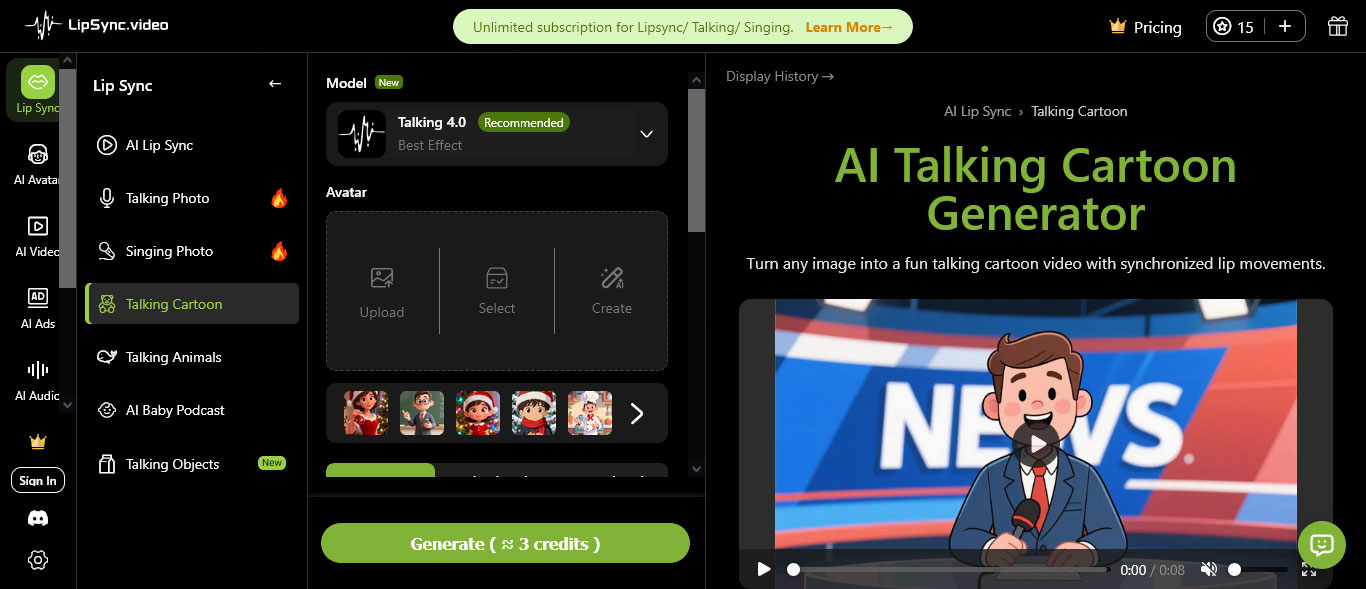
The Talking Cartoon turns a cartoon image plus text or audio into a speaking video. Treat the first output as a draft and review the exact product language against the current interface.
Place the clip beside the current documentation, not in isolation. Add a transcript, publish date and owner so the team knows when to review it. Archive or update the asset when the underlying workflow changes.
Does the first sentence explain the user benefit?
Talking Cartoon supports a focused message when the source material and the audience are clearly defined.
Can a new user understand the next action without seeing the interface?
Are feature names pronounced and captioned correctly?
Does the character remain visible on a phone screen?
Is the linked help article current?
Are accessibility and brand requirements met?
Measure completion, clicks to the help article and reduction in repeated support questions. If users watch the clip but still fail the task, investigate the product experience or the explanation. Changing the character’s expression is rarely the real fix.
A versioned Talking Cartoon is easier to maintain, because an outdated Talking Cartoon can be replaced when the interface changes.
A dependable talking-cartoon system is less about novelty than operational discipline. Clear briefs, owned assets and a review loop let a team publish small explainers quickly without allowing outdated information to accumulate.
A Talking Cartoon is most valuable when a user is almost ready to act but still has one question. A setup reminder can explain what happens after a domain is connected. A release note can show why a new control matters. A support answer can reassure a customer before they open a ticket. These are small moments, but they occur repeatedly across a product.
The format also helps agencies reuse a clear explanation across channels. One approved script can become a help-centre clip, a social teaser and a short onboarding message. The team still needs to adjust the call to action for each channel, but the underlying explanation remains consistent.
Start with the sentence a support agent would say first. Name the outcome, explain the first action and warn about the one condition that commonly causes confusion. A Talking Cartoon should not sound like a list of interface labels. It should sound like a patient colleague who knows where the user is likely to hesitate.
Ask a subject expert to verify the script before animation. They can catch a permission requirement, a plan limitation or a change that has not reached every account. This review is faster and cheaper before generation than after a clip has been placed across several pages.
Give every clip an owner and a review date. Store the script, source artwork, audio and destination URL together so an update does not depend on someone remembering how the original was made. When the interface changes, replace the Talking Cartoon beside the documentation at the same time.
Look at support data as well as video analytics. A high completion rate is encouraging, but the stronger signal is fewer repeated questions about the same step. If confusion remains, the problem may be the product flow itself. The Talking Cartoon should reveal that problem, not hide it behind a cheerful character.
Yes, for orientation and simple first steps. Detailed settings, exceptions and troubleshooting should remain in the linked documentation, where they can be searched and updated more easily.
Include the content owner, a product or support specialist and someone who checks accessibility. Three short reviews usually catch more than one person trying to judge everything alone.
Review it whenever the linked workflow changes, and schedule a regular check for high-traffic pages. A version date makes it easier to spot assets that have been forgotten.
A Talking Cartoon becomes a durable product asset when its message stays accurate after publication. Give it an owner, a review date and a direct path to the current help article. The result is a friendly first step for users and a maintainable part of the team's content system.


Discover our other works at the following sites:
Danetsoft is a global web agency headquartered in Indonesia, specializing in web development, managed hosting, and web publishing platform.


 [email protected]
 Magelang, Central Java
 © 2026 Danetsoft. Powered by HTMLy