An American Society of Cinematographers survey from 2023 found that 71% of working camera operators now shoot in low-light conditions at least once a week, and the share is climbing as event coverage, run-and-gun documentary, and content shoots move to compact mirrorless bodies. The result is more visible noise on more timelines than at any time in the digital era. This piece compares four tools that handle the four most common noise types creators see in 2026, and discusses where each fits in a practical workflow. The remaining challenge for working operators is less about tool availability and more about which model fits which kind of noise, which is where the 2026 conversation gets interesting.
Modern sensors are remarkable, but the social-media pipeline still bottlenecks output at low bitrates. Compression artifacts compound any noise the camera already captured, and tone-mapped HDR delivery exposes shadow noise that used to live in the muddy edge of the histogram. RTINGS test data shows that current OLED panels also resolve grain that older LCD sets simply blurred away. The combined effect is that footage that looked fine on a 2018 monitor looks noisy on a 2026 phone. Cleaning it up is no longer optional for some content categories.
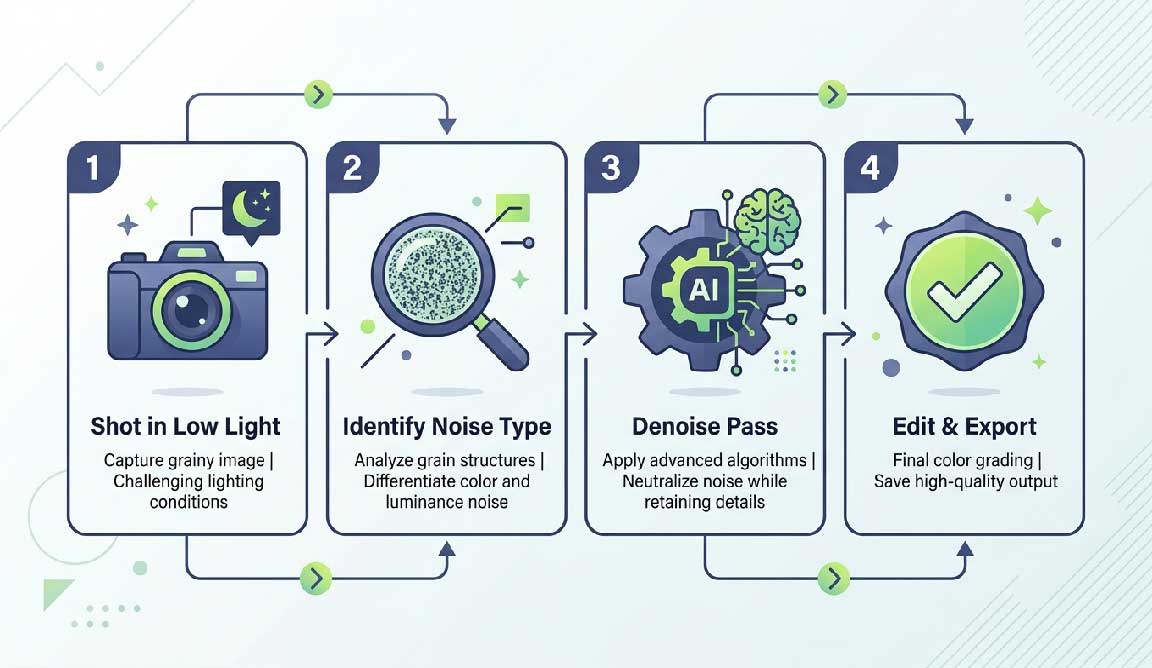
Not every noise problem responds to the same model. Diagnosing first saves processing time.
Pick the wrong model and the result is either smear or stubborn grain that survived the pass.
We tested the four below on three reference clips: a 1080p ISO 6400 interview shot in a dim café, a 4K event coverage clip with chroma blotching, and a 720p screen recording with mosquito artifacts. Hardware: a desktop with an NVIDIA RTX 4070 for desktop apps and a Chrome browser for cloud tools.
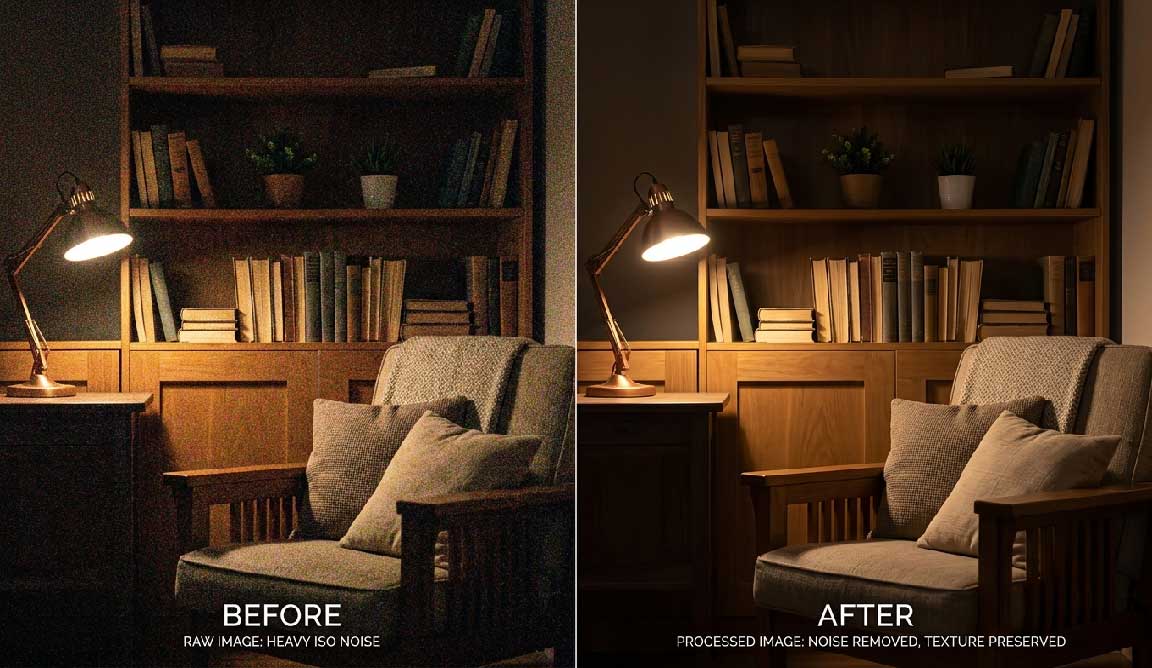
UniFab bundles a desktop denoise module alongside its broader 22-in-1 toolkit. On the café interview the temporal model preserved fabric texture well at moderate strength; at maximum strength it smoothed pores too aggressively, as most temporal denoisers do. The bundle approach matters here — denoising rarely happens in isolation, and having upscale, color, and converter modules in the same window saves the round-trip export.
Topaz DeNoise is the long-standing reference for fine grain control. Per-frame analysis is slow on long projects, and there is no free tier for the video module. Best for short critical shots, not whole event timelines.
Neat Video plugs into most editors and is the choice of many documentary colorists. It is excellent on banding and pattern noise but requires you to profile a clean reference frame from each clip, which adds workflow steps.
Resolve's temporal and spatial noise reduction is bundled in Studio (paid) and is competent for everyday use. The free tier of Resolve does not include it, which is the main caveat.
A wedding shooter we corresponded with handles low-light receptions with this chain: ingest, transcode to a master codec, run a denoise pass with a dedicated AI Video Denoiser at moderate strength, then edit in Resolve. Skipping the dedicated denoise step shaves about three hours off the edit but produces deliveries the couple's parents complain about on the family TV. The extra pass is now part of his standard package, not a premium add-on.
Some loss is inherent; the question is whether the loss is visible at the target viewing size. Moderate strength on a small screen rarely shows.
Better to denoise before grading. The grade can amplify residual noise and undo a careful pass.
Will temporal denoise create ghosting?
Yes, on fast motion. Reduce temporal radius for action footage.
Highly recommended. CPU-only denoise on 4K footage is slow enough to derail a project.
No. Video denoise tools only handle visual noise. Audio noise reduction belongs in a dedicated audio editor with spectral or AI-based audio tools.
Noise reduction has quietly become a routine workflow step for any operator who shoots in real-world lighting, and the tooling has finally caught up to the demand. The right choice is less about which model has the best demo reel and more about which fits inside the rest of your edit, between the camera and the color grade.


Discover our other works at the following sites:
Danetsoft is a global web agency headquartered in Indonesia, specializing in web development, managed hosting, and web publishing platform.


 [email protected]
 Magelang, Central Java
 © 2026 Danetsoft. Powered by HTMLy