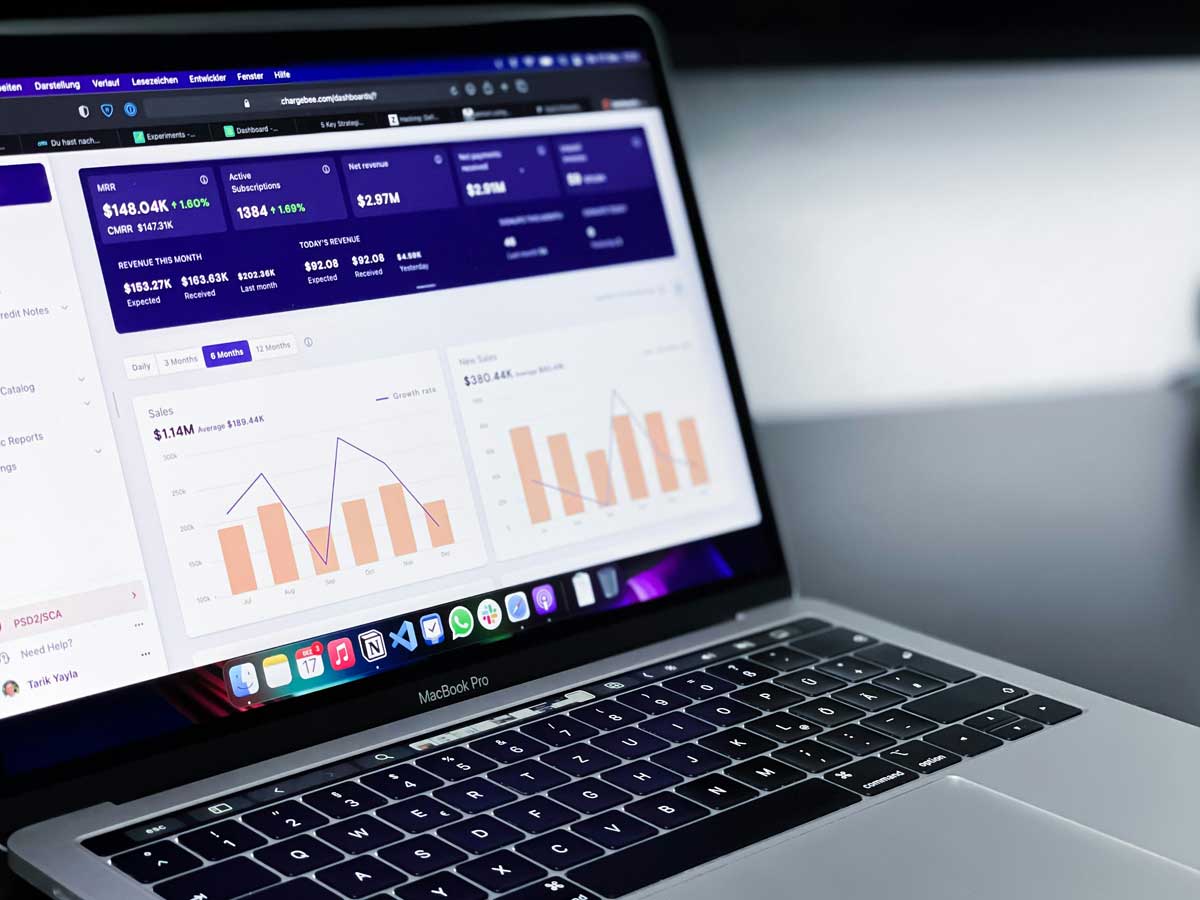
 Photo by path digital on Unsplash
Real-time reporting has become one of those capabilities that changes how teams work day to day. Instead of waiting until the end of the week, or even the end of the day, we can see what is happening while it is still happening. That means faster reactions, fewer surprises, and better alignment across teams that depend on current numbers.
Whether we are watching sales activity, tracking website performance, monitoring support tickets, or keeping an eye on system health, live or near-live reporting helps us work with more confidence. It brings data closer to action. And in many teams, that is the difference between staying ahead and playing catch-up.
In this article, we will look at what makes real-time reporting useful, what features matter most when choosing a tool, and which platforms stand out for different needs. The goal is not to crown one universal winner, because there is no such thing. The better question is which tool fits the way we work.
The phrase “real-time” gets used a lot, but it does not always mean the same thing in every tool. For some teams, real-time means data updates every few seconds. For others, it means every few minutes. In practice, what matters is whether the information is fresh enough to support quick decisions.
A report that updates every minute may be perfect for a sales manager watching live pipeline activity. That same pace may be too slow for an operations team monitoring service outages. So when we talk about real-time reporting, we are really talking about data freshness that matches the urgency of the job.
The main value is simple, we are working with current information instead of stale snapshots.
Real-time reporting is popular because it solves a very practical problem, waiting is expensive. When we rely on delayed reports, we may miss the chance to act while a campaign is still running, while a sales trend is still active, or while a technical issue is still small.
Some of the biggest benefits include:
That does not mean every report needs to update every second. But when timing matters, real-time reporting gives us a major advantage.
Before we compare tools, it helps to know what separates a strong option from a frustrating one. Real-time reporting is not just about speed. The best tools balance speed, clarity, reliability, and usability.
This is the first thing we should check. How often does the tool update data, and how much delay is acceptable in practice? Some platforms connect directly to live sources, while others rely on scheduled refreshes. A tool can claim to be real-time and still leave us waiting several minutes.
A powerful platform is not much help if the team avoids it because the interface feels too complicated. We should look for a tool that makes report building straightforward, especially if business users will be creating dashboards themselves.
The tool must connect to the systems we already use. That might include CRMs, ad platforms, cloud databases, spreadsheets, APIs, or warehouse systems. If the connections are weak, the reporting workflow becomes messy fast.
Most real-time reporting happens in dashboards, so layout matters. We need charts, filters, tables, alerts, and drill-down options that are easy to understand at a glance. A dashboard should help us see what matters quickly, not bury it under decoration.
Reports rarely belong to one person. Good tools make it easy to share dashboards, manage permissions, and keep teams working from the same version of the truth.
A tool that works nicely for a small team may struggle as data grows or as more users log in. We should think about performance, governance, and administration early, not after the rollout gets messy.
Different tools shine in different situations. Some are built for executive dashboards, some are best for technical monitoring, and others are designed to make reporting easy for non-technical users. Here are the tools worth paying attention to.
Tableau has earned its reputation as one of the most respected analytics platforms around. It is especially strong when we want polished dashboards with strong visual storytelling and deep interactive features.
Tableau excels at turning data into visuals that people can understand quickly. It supports rich dashboard design, filtering, drilling into data, and multiple source connections. For teams that need reporting to look polished and feel responsive, Tableau is a strong choice.
Tableau is powerful, but it can take time to learn. Building advanced reports may require training or a dedicated analyst, especially when dashboards become more complex.
Power BI is one of the most practical choices for organizations already using Microsoft products. It fits naturally into environments built around Excel, Teams, Azure, and SQL-based systems.
Power BI offers a strong mix of visual reporting, live dashboards, and data integration. For many teams, it feels familiar right away, especially if people already live in Excel. It is also often more cost-effective than some enterprise BI tools, which makes it attractive for growing companies.
Power BI can become more technical as reports grow in sophistication. Some users may also need time to get comfortable with the way data modeling works.
Looker is a strong choice when consistency matters. It is built around a modeling layer that helps teams define metrics once and reuse them across reports, which reduces confusion and mismatched numbers.
Looker is especially helpful for organizations that want a governed approach to analytics. Instead of every team defining the same metric in slightly different ways, we can create one business logic layer and keep reporting aligned. When connected to the right warehouse and pipelines, Looker can support near real-time reporting very well.
Looker is not usually the easiest tool for beginners. It tends to work best when there is already some data expertise on the team.
Domo takes a dashboard-first approach and is often appealing to teams that want a fast, visual way to see live data without building everything from scratch.
Domo brings integration, dashboards, collaboration, and alerts into one platform. It is designed for organizations that want performance data available continuously, not just in periodic reports. The interface is approachable for business users, which helps with adoption.
Domo can be expensive, and it may feel like more platform than smaller teams need. For larger groups, though, it can be a strong all-in-one option.
Grafana is the tool we usually hear about in technical environments, and for good reason. It is excellent for time-based data, infrastructure monitoring, and system-level visibility.
When the goal is to monitor apps, servers, APIs, or other operational systems in real time, Grafana is one of the most capable options available. It works especially well with time-series data and alerting. For engineering and IT teams, it can be indispensable.
Grafana is not the easiest platform for traditional business reporting. It shines in technical environments, but it may feel too specialized for sales or marketing teams.
Sisense is a smart choice when we need analytics that are more advanced than standard dashboards, especially if we want to embed those analytics into products or internal applications.
Sisense can handle large datasets and helps teams deliver analytics in ways that fit naturally into workflows. That makes it useful for SaaS companies, product teams, and organizations that need embedded reporting rather than just standalone dashboards.
Sisense makes the most sense when reporting is part of a larger product or workflow strategy. For simple business dashboards, it may be more than we need.
Klipfolio is a practical dashboard tool for teams that want straightforward reporting without a long setup process. It is popular with smaller businesses and teams that care about KPIs more than heavy analytics.
Klipfolio makes it easy to pull in data from many sources and display it in one place. It is designed to give us a quick view of business performance, which is exactly what many managers and small teams need.
Klipfolio is excellent for focused reporting, but it may not be the best long-term fit for teams that need deep analytics, heavy governance, or enterprise-scale complexity.
Looker Studio, formerly known as Google Data Studio, is one of the easiest ways to build live-looking dashboards, especially if we already work inside the Google ecosystem.
Its biggest advantage is accessibility. We can connect data from Google Analytics, Sheets, BigQuery, and other sources, then build reports quickly. For marketing teams and smaller organizations, that simplicity is a big plus.
Looker Studio is not an enterprise BI platform. It works very well for lightweight reporting, but we may run into limits when we need more advanced modeling or governance.
Zoho Analytics is a flexible and approachable reporting platform that gives small and mid-sized businesses a lot of value. It balances ease of use with enough depth to support everyday reporting.
Zoho Analytics is a good fit when we need dashboards, reports, and data blending without a steep learning curve. It connects with many business apps and gives teams a practical way to manage operational data.
Zoho Analytics may not match the depth of the top enterprise BI platforms, but for many teams, it is more than enough.
The right choice depends on who needs the data, how often it must update, and how much complexity we want to manage.
Tableau, Power BI, and Domo are all strong candidates.
Looker is usually the better fit.
Grafana is the clear standout.
Looker Studio, Klipfolio, and Zoho Analytics are worth considering.
Sisense is a serious option.
When comparing tools, we should also ask:
Those questions usually reveal the best fit more clearly than feature lists do.
A reporting tool can only do so much. The setup and habits around it matter just as much.
A long list of features is not the same as a good fit. The best tool is the one that solves our actual problem cleanly.
Fresh data is not useful if it is inaccurate. Real-time reporting depends on trustworthy inputs.
When a dashboard tries to show everything, it ends up showing nothing clearly. Simple layouts usually work better.
Executives, managers, analysts, and operators do not all need the same view. We should design reports around the audience, not just the data.
A tool that feels perfect for a five-person team may become painful when 50 people need access. Growth should be part of the decision from the start.
Real-time reporting helps us act while the moment still matters. Instead of working from old snapshots, we can see performance as it unfolds and respond with much better timing.
There is no single best reporting tool for every team. Tableau and Power BI are excellent for broad business reporting. Looker is a strong choice when governance and metric consistency matter. Domo and Klipfolio make live dashboards more accessible. Grafana is ideal for technical monitoring. Sisense fits embedded analytics use cases. Looker Studio and Zoho Analytics offer simpler, more approachable paths for many teams.
The real question is not which tool is the most famous. It is which one helps us make better decisions with less friction. When we choose well, real-time reporting stops being just another dashboard and starts becoming part of how we work.


Discover our other works at the following sites:
Danetsoft is a global web agency headquartered in Indonesia, specializing in web development, managed hosting, and web publishing platform.


 [email protected]
 Magelang, Central Java
 © 2026 Danetsoft. Powered by HTMLy