There is a particular kind of frustration that every Mac user eventually faces. The spinning beach ball appears out of nowhere, apps stall, and the machine that once felt fast starts crawling. More often than not, a bloated hard drive is at the root of it.
The more you use your Mac, the more it'll accumulate files and other data. A large part of it'll include cached files, leftover app data, duplicate photos, and system junk that stack up quietly over time until performance takes a visible hit.
The best Mac cleaner software in 2026 provides all-in-one solutions, which help you speed up your Mac, reclaim storage and optimize performance. After testing several tools on different Mac setups, below are the best five Mac Cleaner Software that worked effectively for me.
 Photo by RawPixel on Freepik
Before getting into the details, here is a side-by-side look at how these five tools compare on the most important factors.
| Tool | Best For | Free Plan | Storage Clean | Price/Month |
|---|---|---|---|---|
| MacKeeper | All-in-one Mac care | Limited trial | Yes | $5.95 |
| DiskSight | Visual disk analysis | Yes | Yes | Free/$9.99 |
| OnyX | Power users | Yes | Yes | Free |
| CleanMyMac X | Deep system cleanup | Limited | Yes | $9.99 |
| AppCleaner | App uninstall only | Yes | Partial | Free |
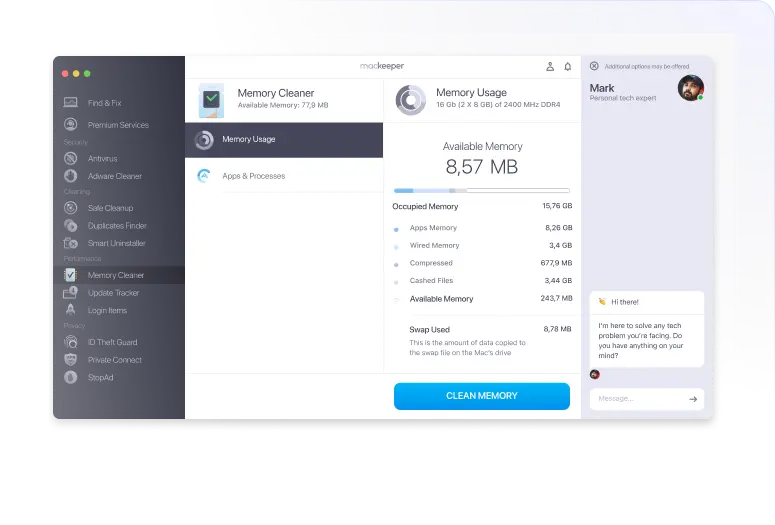
MacKeeper is not just a Mac cleaner. Its Safe Cleanup tool that scans your computer for junk files, duplicates, and leftover app data to help free up storage space and improve system performance. The tool’s interface is intuitive and guides you through the scan-and-fix process.
What makes it effective as a Mac cleaner software is how it combines disk cleanup with performance tools. With features like Safe Cleanup, memory cleaner, and a smart uninstaller, MacKeeper eliminates everything that slows down your computer, including hidden files.
MacKeeper also includes a real-time antivirus module, an ad tracker blocker, and a VPN. Whether every user needs all of those features is a separate conversation. Still, having them in one place without needing a stack of separate apps is a practical advantage.
Pros
Cons
DiskSight takes a different approach to the problem. Rather than offering a full suite of cleanup tools, it focuses almost entirely on helping users understand where their storage is going. The interface renders the entire drive as an interactive treemap. That makes it immediately obvious which files and folders are consuming the most space.
This is particularly useful when trying to identify large video exports, old backups, or forgotten downloads that have been sitting untouched for months. From within the app, users can navigate into any folder and delete files directly without leaving the interface.
DiskSight is not designed to automate cleanup or run scheduled scans. It is a diagnostic and decision-support tool. If the goal is to understand a Mac's storage landscape before manually deciding what stays and what goes, it does that job better than most.
Pros
Cons
OnyX has been around for a long time, and in the Mac community, it occupies a specific niche. The interface is functional rather than friendly, and it exposes system-level maintenance functions that most people will never need. But for the right user, that depth is exactly the point.
The tool handles UNIX maintenance scripts, cache clearing, system file verification, and a range of configuration tweaks that go well beyond what the average Mac cleaner offers. It is also completely free, with no subscription and no upselling.
The important caveat is that OnyX releases new versions tied to specific macOS versions. Users need to download the version that matches their operating system exactly, which adds a small maintenance responsibility.
That said, for system administrators, developers, or technically confident users who want control without cost, OnyX remains one of the few honest tools available.
Pros
Cons
CleanMyMac X (by MacPaw) is often rated as one of the best easy-to-use, all-round Mac cleaning software that's great at removing system junk, cache files, and app leftovers.
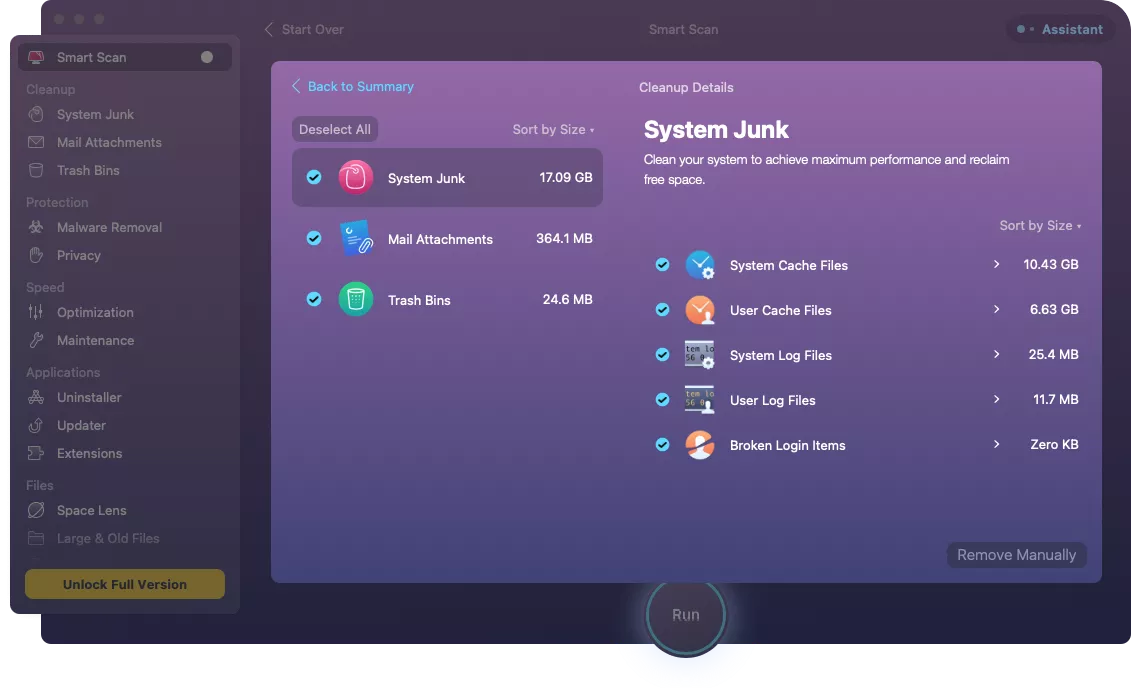
What separates CleanMyMac X from more lightweight apps is its Smart Scan feature, which handles all-in-one checks with a single click. It also features a malware removal engine, an app uninstaller, and Space Lens, which shows you a visual map of your entire drive.
As someone who runs creative and development workflows on my Mac where storage cycles through quickly, the investment has paid off in time saved.
Pros
Cons
AppCleaner does one thing, and it does it well. When you drag an application into AppCleaner’s window, it will scan for all the associated support files, caches, and hidden data that the app left behind. On macOS, simply moving an app to the Trash does not remove these ancillary files, which means storage leaks a little with every uninstall.
AppCleaner is free, lightweight, and requires almost no setup. It is not a full Mac cleaner, and it is not trying to be. For users who already have a general cleanup workflow but want to make sure app removal is thorough, it fills that gap precisely and works well alongside the other tools.
Pros
Cons
The right Mac cleaner depends on what is actually slowing the machine down. For users dealing with storage pressure across the board, the above Mac cleaner options offer the most complete solutions. They are the right pick for anyone who wants clarity before committing to deletions.


Discover our other works at the following sites:
Danetsoft is a global web agency headquartered in Indonesia, specializing in web development, managed hosting, and web publishing platform.


 [email protected]
 Magelang, Central Java
 © 2026 Danetsoft. Powered by HTMLy