Software projects often begin with a document that describes the desired result but leaves the experience abstract. A customer portal, training tool or interactive product may be easy to explain and difficult to demonstrate. Stakeholders have to imagine how screens connect, how users make decisions and what happens when the system responds.
Game development has a useful answer to this problem: build a small playable slice. A prototype turns a discussion into something people can try. AI game makers are making that first slice faster by connecting natural-language briefs with code, assets, scenes and interaction.
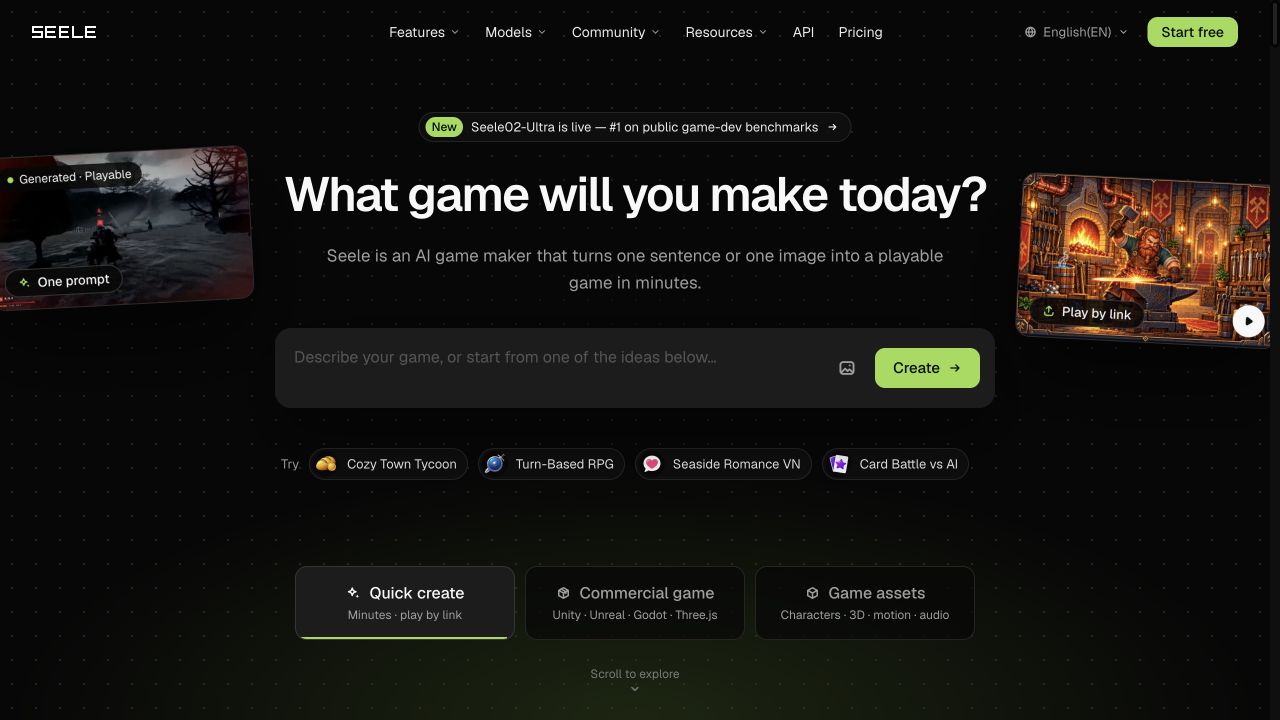
SEELE AI is an example of this approach. A creator can start with a sentence or image and receive a browser-playable build, then continue editing it through conversation. The SEELE AI platform is aimed at reducing the setup time between an idea and a testable experience.
A written requirement can hide disagreement. One person imagines a guided workflow; another imagines an open-ended tool. A prototype gives both people the same object to inspect. They can see what the user does first, where the interface is unclear and which part of the idea deserves investment.
This is particularly useful for products with a strong visual or spatial component. A 3D configurator, virtual showroom, training simulation or interactive story can be difficult to evaluate from wireframes alone. A small scene with representative behavior may answer more questions than a large collection of static screens.
The prototype should be intentionally narrow. Its purpose is to test a risky assumption, such as whether a user understands a new control, whether a visual metaphor works or whether a sequence feels engaging. The goal is learning, not completeness.
Start with the user problem and define one observable outcome. A useful brief explains the audience, the action and the feedback the system should provide.
Use an AI game maker to assemble a first scene, interface or interaction. The system can generate supporting assets and code, but the team should keep the scope small enough to review quickly.
Share the build with someone who was not involved in creating it. Ask what they think the goal is, what they tried and what they expected to happen.
Feed those observations back into the project. Ask for a specific change and compare the new result with the previous version. This creates a visible record of the product decision.
When the concept is validated, decide whether to rebuild it in the team’s main stack, export it to a preferred engine or keep it as a lightweight web experience.
Traditional tools expose implementation details, which is appropriate for production work. During discovery, however, the person with the strongest product insight may not know which file or system controls the behavior. A conversational editor provides a bridge between intent and implementation.
A request such as “make the onboarding feel less intimidating” still needs interpretation, but it is a useful starting point. The team can refine it into concrete changes: reduce the number of choices, slow down the first step, highlight the active control or add an example. The conversation becomes a way to translate product feedback into testable edits.
The quality of this process depends on the feedback. Vague requests produce vague results. Product teams should describe what they observed and what the user should experience instead.
A fast prototype should still be reviewed for the constraints that matter later. Check whether the interaction depends on unavailable data, whether the assets are licensed for the intended use, whether performance is acceptable on target devices and whether the experience can be made accessible.
The team should also document what the prototype proves and what it leaves unresolved. This prevents a successful demo from being mistaken for a production-ready system. AI can speed up discovery; it does not remove the need for architecture, testing, security or maintenance planning.
SEELE’s public pages describe routes toward Unity, Unreal, Godot and Three.js projects, as well as browser publishing. That range can help a team choose the right next step after validation. A small web prototype may be enough for a campaign. A studio may need to carry the concept into a larger engine pipeline.
Suppose an agency is asked to build an interactive product tour for a new analytics platform. Instead of starting with a full custom implementation, the team creates a short scene with three decisions: choose a data source, identify an anomaly and select a response. The prototype reveals which concepts users understand and which terms require explanation.
The client can play the flow and request a change in plain language. The agency can use that feedback to write a better functional specification before committing to a production build. The result is a faster approval cycle and fewer surprises during development.
AI game development offers a useful lesson for software teams: the earlier people can interact with an idea, the sooner they can improve it. A working slice creates shared understanding among designers, developers, clients and users.
For teams exploring visual products, simulations and interactive web experiences, SEELE AI provides a way to turn a brief into a playable first version and keep iterating through conversation. The tool’s value is measured by the decisions it helps a team make before production becomes expensive. Try SEELE NOW.


Discover our other works at the following sites:
Danetsoft is a global web agency headquartered in Indonesia, specializing in web development, managed hosting, and web publishing platform.


 [email protected]
 Magelang, Central Java
© 2026 Danetsoft. Powered by HTMLy