A web agency can finish a homepage still, get client approval, and still lose a day when the motion version warps a logo, invents a second product, or drifts away from the approved crop. The still was the contract. The clip is a new claim layer. That is why an image to video pass belongs inside a delivery checklist, not at the end of a late revision thread.
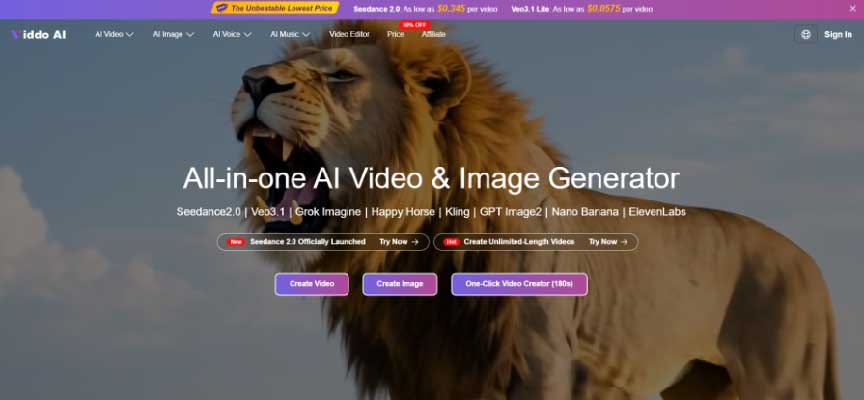
Agencies do not need another mood board. They need a sequence that turns an approved still into a short loop the client can accept without reopening brand debate. Viddo AI places that Image to Video path beside model choice, prompt controls, ratio settings, and an Extend Video option for longer continuity. The workflow helps only when the team decides what must survive before anyone clicks Generate.
Start from the page module, not from a cinematic prompt. Name the destination: hero loop, service card, case-study header, or paid social cut. Then write one sentence the motion is allowed to make easier to understand. “The product stays centered while light moves across the panel” is usable. “Make it premium” is not.
Also list what must remain outside the generated frame. Prices, legal lines, and UI copy usually belong in the real layout. If the model is asked to invent readable labels, the agency inherits spelling and compliance risk that the still never carried.
Only the approved export should enter the tool. A near-final Photoshop file with temporary badges, soft masks, or competing products creates three interpretations. Crop away unused canvas. Remove temporary draft badges from design tools if they are not part of the brand. Confirm rights for every person and logo in the frame before generation starts.
If the client approved version A and the motion artist uploads version B, the review will fail for reasons that have nothing to do with the model. The checklist begins with file identity.
When a brief needs more than the hero still, assign roles. One image may lock the product. Another may lock the environment. A short clip may suggest camera speed. Uploading a folder of attractive assets without roles pushes unresolved design decisions into the model and makes later diagnosis expensive.
The creation panel shows reference capacity for images, video, and audio. Fill only the slots that answer a real control need. Empty slots are better than contradictory ones.
Product lock: one clean still with the logo readable at the final crop.
Environment lock: only if the page needs a specific room or outdoor setting.
Motion hint: only if camera path matters more than product identity.
Audio reference: only when rhythm is part of the deliverable, not decoration.
The public Image to Video path is simple enough to misuse. Sign up or log in, open the Image to Video tool, upload the approved still, add a prompt that describes allowed motion, set ratio and length for the real module, then generate. The danger is treating that path as complete without the contract from the earlier sections.
Agencies should keep a short run note beside each export: still filename, prompt version, model, ratio, resolution, length, and whether Extend Video was used. Without that note, a failed client review becomes a guess about which variable drifted. Inside Viddo AI, those settings are visible enough to copy once; the team still has to paste them into the ticket before the next person regenerates from memory.
A useful pilot is one homepage module for one week. Keep the same still, change only the motion instruction after each fail, and stop when either gate clears or the brief is proven broken. That protocol clock matters more than collecting ten stylish rejects.
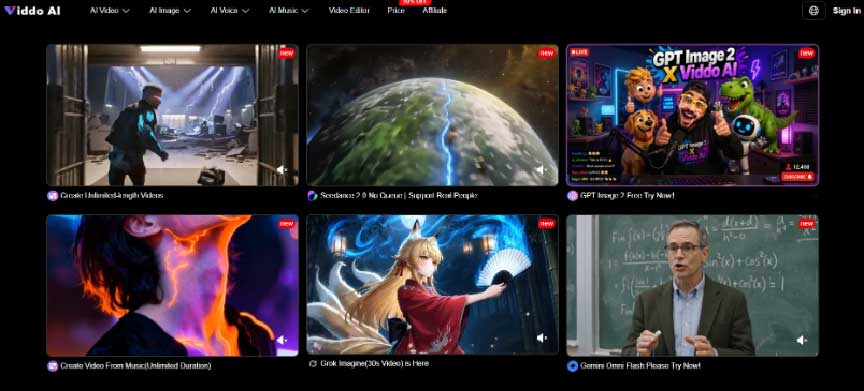
Choose ratio from the live layout. A desktop hero may need 16:9. A mobile card may need 9:16 or 1:1. Resolution options such as 720p or 1080p should match the weight budget of the page, not a habit of always maximizing quality. Length should match the loop the module can hold. A service card rarely needs a long narrative just because longer options exist.
After a first pass, Extend Video can continue continuity when the story genuinely needs more time. It should not become an automatic click that turns a tight loop into a wandering scene. If the module only holds five seconds of attention, extending the file creates more frames to defend without more client value.
Gate one protects brand truth. Place the export next to the approved still and ask whether any new object, logo treatment, hand shape, or label appeared. If the product edge melts into the background, or a second unit is invented next to the source product, the file is discarded before account management sees it.
Gate two protects packaging. Drop the survivor into the real crop, with the real headline and CTA. Check whether the final second still leaves room for type. A beautiful loop that collides with the headline is not delivered work.
Write the two gates into the ticket as shared language. Truth asks whether the still’s claim still holds after motion; fail signals include a warped logo, an invented prop, or identity drift. Package asks whether the live crop still reads; fail signals include type collision, unsafe edges, or a busy final frame. Design owns truth. Web or account owns package. That split keeps the conversation on observable fails instead of “I liked the other one more.”
Clients often ask for “two more styles” after seeing one smooth preview. Without a checklist, that request becomes an open-ended afternoon. With a checklist, the agency can say which gate failed and which input will change. That protects margin and keeps the still package from reopening.
If the truth gate fails twice on the same still, stop generating and repair the source or the prompt. More exports will not fix a contradictory brief. The cost signal is the wasted hour spent polishing a claim the still never authorized.
When a campaign needs several loops that feel like one family, lock the seed on the first accepted look and keep it locked while changing only one instruction. If the next piece needs a different style, update the seed deliberately rather than accidentally. Consistency is a delivery requirement for multi-page builds, not a novelty feature.
Record the seed state in the run note. A later teammate should be able to reproduce the accepted direction without reconstructing the chat history.
Prompts are not deliverables. Archive the approved export with the still, the module name, and the two gate results. When the CMS or ad tool needs a re-export months later, the team should reopen the accepted file rather than regenerate from memory.
On the ticket, attach the image to video export to the page module it is allowed to support. If the module copy changes the product claim, the clip returns to gate one. That habit is slower than dumping every pretty render into the assets folder, and it is why client calls stay short.
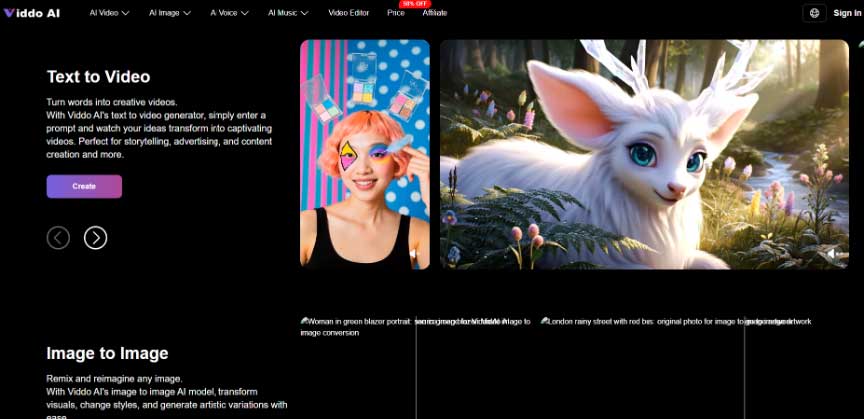
For agency delivery, Viddo AI is most useful when Image to Video becomes a controlled step after brand approval, not a parallel creative lane that invents a new brief. The checklist is deliberately small: one still identity, one allowed motion sentence, filled reference slots with jobs, module-true settings, two gates, and an archived export.
If the account team wants options, offer two motion intents that still obey the same still contract, not ten unrelated moods. The second intent should change camera energy or ambient light, not the product claim. That keeps the client conversation inside the checklist instead of reopening brand strategy during QA.
Clients remember the homepage that quietly changed their product. They rarely complain that a restrained loop was insufficiently cinematic. Ship the file that keeps the still honest under motion, and keep Viddo AI in the role of a controlled production step rather than an open brainstorm tab.


Discover our other works at the following sites:
Danetsoft is a global web agency headquartered in Indonesia, specializing in web development, managed hosting, and web publishing platform.


 [email protected]
 Magelang, Central Java
 © 2026 Danetsoft. Powered by HTMLy