For organizations that depend on Outlook but need a quick way to regain access to offline mailbox data without installing extra software, online OST to PST conversion can be a lifesaver. Stellar’s Online OST to PST Converter delivers browser-based conversion so you can upload an OST file, convert it on Stellar’s servers, and download a PST file from any machine with internet access.
This review focuses on the online OST to PST converter, outlining its key features, usage steps with screenshots, pricing, and where it best fits in an IT strategy.
Stellar Online OST to PST Converter is a web-based service that converts offline Outlook Data Files (OST) into PST format entirely in the browser, without installing Outlook or desktop utilities. The service preserves mailbox items like emails, attachments, contacts, calendars, tasks, and folder hierarchy, then provides a PST.
Stellar Data Recovery Inc., active in data recovery and email tools for over 30 years, offers this online service alongside its desktop Stellar Converter for OST editions for users who prefer a no-install, on-demand conversion approach.
Business users and small IT teams needing one-off or occasional OST to PST conversions without installing software.
Remote workers and consultants who may not have admin rights to install desktop tools on client systems.
Organizations with smaller OST files (up to 500 MB free, up to 5 GB premium) that still require secure, quick recovery of mailbox contents.
Users who need Outlook‑independent conversion—for example when Outlook is not available or the profile is broken.
For very large or frequent conversions, Stellar recommends moving to the desktop editions with higher limits and broader features.
| Strength | Business Impact |
|---|---|
| 100% browser-based | No installation or Outlook needed, useful on locked-down or shared systems. |
| Simple three-step workflow | Upload, convert, and download in minutes, minimizing downtime. |
| Free tier for small files | Cost-free recovery for OST files ≤ 500 MB, ideal for light users. |
| Secure, SSL-based upload | Encrypted transfer reduces risk when handling sensitive email data. |
| Real-time progress tracking | Clear visibility into upload, conversion, and download status. |
Step 1: Open the Online Converter Page
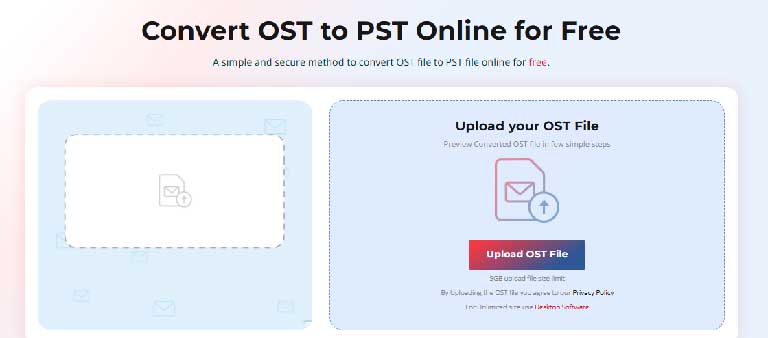
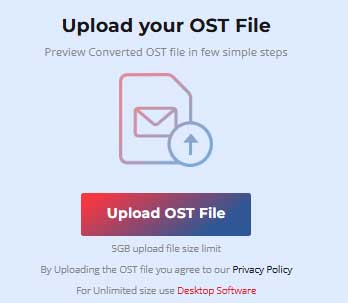
Step 2: Upload the OST File
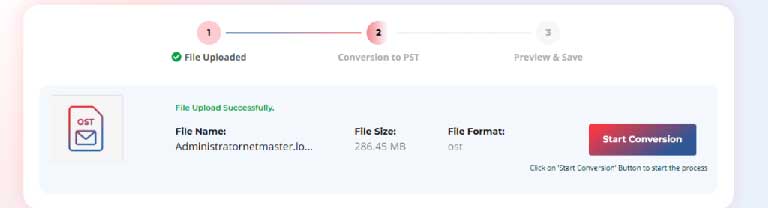
Step 3: Start Online OST to PST Conversion
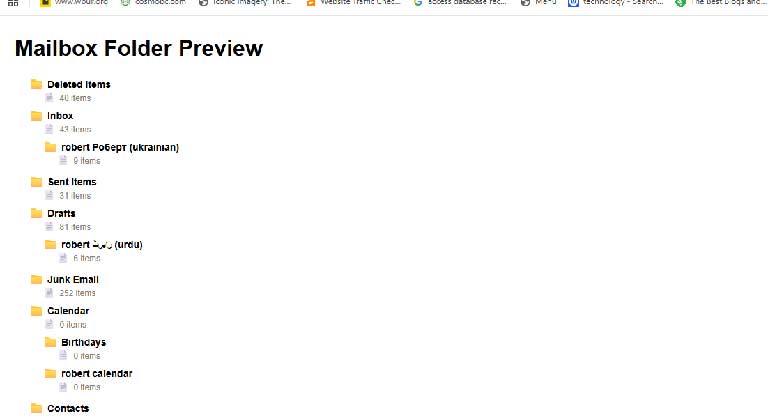
Step 4: Preview your data in html format
Step 5: Download the converted PST File
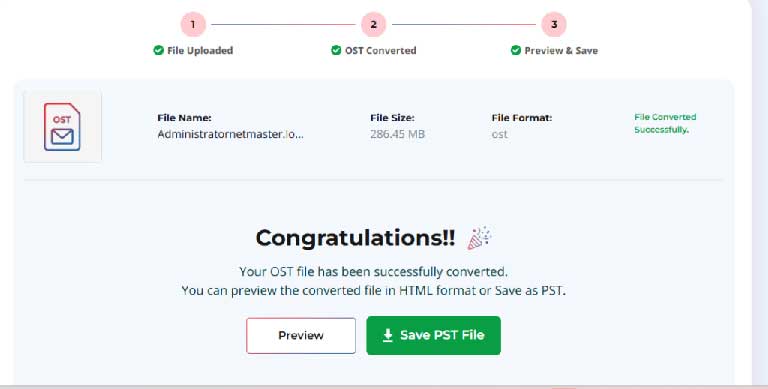
No Outlook or Exchange required: Conversion happens server-side; you only need a browser and the OST file.
Preserves structure and content: Folder hierarchy, emails, attachments, and other mailbox items are retained in the PST.
Real-time progress tracking: You can see upload and conversion progress to estimate completion time.
Secure transfer: SSL encryption for upload and download helps protect data in transit.
Designed for non-technical users: Minimal configuration, with a focus on straight-line conversion.
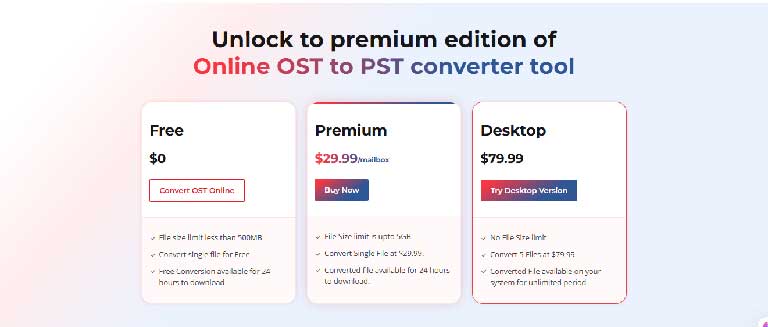
| Plan | Price | File Size Limit |
|---|---|---|
| Free Plan | $0 | OST file ≤ 500 MB |
| Premium Plan | ~$29.99 per mailbox / file | OST file up to 5 GB |
| Desktop Plan | Convert 5 files at $79.99 | No file size limit mentioned for OST |
Advantages
Disadvantages
Stellar’s Online OST to PST Converter is a strong choice if you need a fast, one-off or occasional conversion in the browser, especially when you cannot install software or Outlook. For larger, more frequent, or highly controlled migrations, the desktop Stellar Converter for OST remains better suited due to higher limits and richer controls.


Discover our other works at the following sites:
Danetsoft is a global web agency headquartered in Indonesia, specializing in web development, managed hosting, and web publishing platform.


 [email protected]
 Magelang, Central Java
 © 2026 Danetsoft. Powered by HTMLy