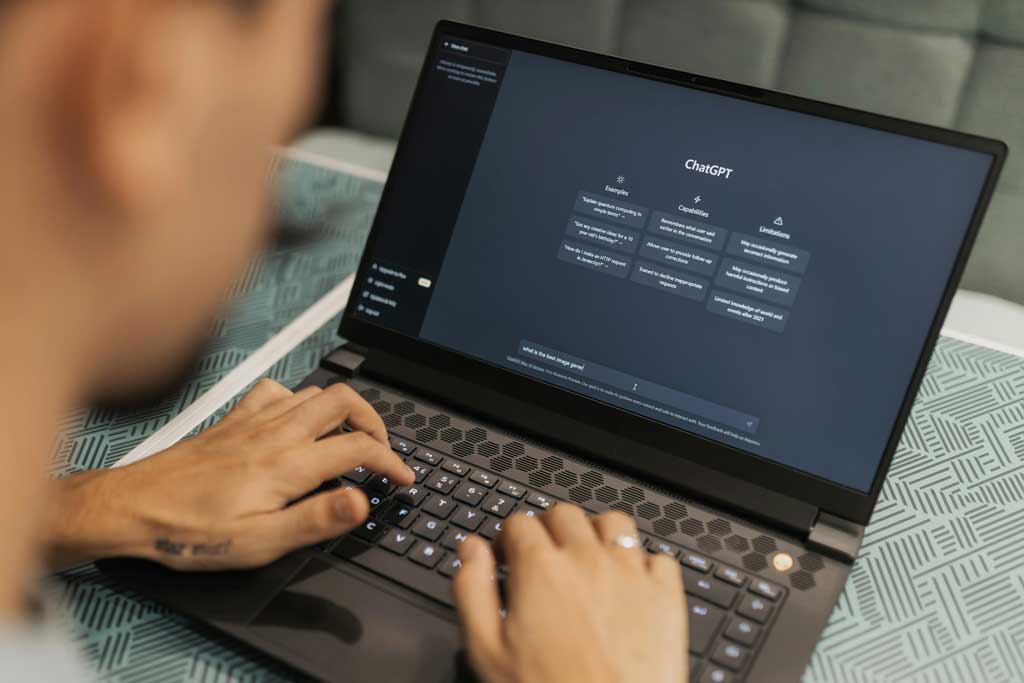
 Photo by Matheus Bertelli on Pexels
AI tools are everywhere now. They can write drafts, summarize meetings, organize notes, search faster, and even help us think through messy problems. That kind of power is exciting, but it also creates a new problem, if we use AI carelessly, it can quietly become another distraction instead of a productivity boost.
The goal is not to use AI for everything. The goal is to build smart habits around it, so we save time, keep our focus, and avoid the little traps that come with easy automation. When we use AI well, it becomes a helpful assistant that clears clutter, speeds up routine work, and gives us more room for the tasks that actually matter.
Below are practical habits that can make a real difference. These are not flashy tricks. They are the kinds of simple routines that help us work better every day.
One of the biggest mistakes we can make is handing over too much. AI is great for repetitive work, rough drafts, summaries, sorting information, and simple rewrites. It is not great at understanding our priorities, values, or the subtle context behind a decision.
A useful habit is to let AI handle the low-value steps, then keep the high-value thinking for us.
For example:
This saves time without giving away judgment. That balance matters. If we rely on AI too early in the process, we can end up working with someone else’s structure instead of our own thinking. The best habit is simple, let AI clear the path, not choose the destination.
A lot of frustration with AI comes from vague instructions. If we ask a tool to “make this better,” we may get something polished but generic. If we ask with a little more structure, the result improves fast.
A strong prompt usually includes:
For example, instead of saying:
“Write an email about the meeting.”
We can say:
“Write a short email to the sales team summarizing today’s meeting. Keep the tone friendly and direct, mention the three main decisions, and end with clear next steps.”
That small shift often turns a mediocre output into something useful. Over time, we get faster at asking for what we really want. That is a productivity skill on its own.
A good habit is to think of prompts like clear directions, not casual requests. The more specific we are, the less time we spend fixing weak results.
We do not need to start from scratch every time. In fact, one of the smartest habits is to save the prompts that work best.
For tasks we repeat often, we can create templates like:
This reduces mental friction. Instead of figuring out how to ask the same thing over and over, we just reuse the structure and adjust the details.
A simple template might look like this:
“Turn these notes into a clear summary. Organize the main points into bullets, highlight decisions, list action items separately, and keep it under 200 words.”
Another one:
“Help us compare these two options. Use a table with pros, cons, risks, and recommended use cases.”
Reusable prompts turn AI from a random tool into part of our workflow. That is where the time savings really start to add up.
Many of us think of AI as a cleanup tool. We use it after the work is mostly done, which is helpful, but not enough. AI can also help us begin.
Getting started is often the hardest part of productivity. A blank page, a messy inbox, or a big project can slow us down before we even begin. AI can break that freeze.
We can use it to:
Starting with AI does not mean starting lazily. It means reducing the energy needed to move from idea to action. Once we have a starting point, it is easier to edit, improve, and decide.
This habit can be especially useful when we feel stuck. Instead of waiting for perfect clarity, we ask AI for a rough version and move forward from there.
A lot of productivity gets lost when useful outputs disappear into random tabs, chat logs, or forgotten documents. If AI gives us a good summary, outline, checklist, or response, we should not leave it buried.
A better habit is to keep a simple system for saving the useful pieces.
We can store AI-generated material in:
This is especially useful for repeated work. If AI helps us write a project update, summarize a podcast, or draft a standard reply, we can save that structure for later use.
The point is not to hoard everything. The point is to create a small library of useful outputs so we do not keep solving the same problems from zero.
AI can be fast, but speed is not the same as accuracy. Sometimes it gets details wrong, invents missing pieces, or smooths out nuance in a way that looks confident but misses the mark.
So a smart habit is to treat AI output as a draft, not a final answer.
That means we should check:
This is especially important in emails, reports, content, research, and anything customer-facing. A tiny error can waste more time later than it saved in the beginning.
A good rule is simple, if the stakes are low, AI can move quickly. If the stakes are high, we slow down and review carefully. That keeps us productive without creating cleanup work later.
Context switching is one of the biggest productivity killers. Every time we jump between tasks, tabs, or mental modes, we lose time and focus.
AI can help reduce that if we use it intentionally.
For example:
This way, we spend less time hunting for information and more time acting on it.
A useful habit is to ask, “Can AI shrink this task into something we can use faster?” If the answer is yes, we save mental energy and keep our attention in one place longer.
AI can speed things up, but that does not automatically make us focused. If we let it, AI can actually encourage endless tinkering, rewriting, and overthinking. We can generate too many options and spend too long improving something that was already good enough.
That is why time blocks matter.
We can give ourselves a set window, such as:
When the timer ends, we move on.
This creates a useful boundary. AI becomes a tool for progress, not perfection. It also helps us avoid turning a quick task into a long session of minor edits.
Time blocks work well because they make AI feel like part of a workflow, not an open-ended rabbit hole.
Productivity is not only about doing more. It is also about keeping our attention intact. If we are constantly switching, checking, and reacting, we may finish a lot of small tasks but still feel drained.
AI can help protect attention in a few ways.
We can use it to:
This lets us spend more time on deep work and less time on task clutter. When AI handles the admin side of the day, we have more energy left for the work that needs real focus.
That is a huge win. Sometimes productivity is not about doing more, it is about keeping our best attention for the right things.
It is easy to chase the newest AI tool and think the next app will fix everything. But the real improvement usually comes from habits, not software.
We should ask:
This kind of reflection helps us use AI more wisely. Over time, we learn where the tool is strong and where it is more trouble than it is worth.
That matters because productivity is personal. What works for one team or one workflow may not help another. The best habit is to notice what actually saves time in our own routine, then build around that.
If we want something practical to start with, here is a simple routine that works well for many types of work:
That small loop keeps us intentional. It prevents AI from becoming a distraction, and it turns it into a repeatable productivity asset.
AI can absolutely save time. But the deeper value is that it can reduce friction. It helps us start faster, sort faster, summarize faster, and decide faster. That creates room for better work and less mental clutter.
The best AI habits are not flashy. They are calm, practical, and easy to repeat. We use AI to handle the pieces that drain energy, then we bring our own judgment to the parts that matter most.
When we do that consistently, we do not just work faster. We work with more clarity, less stress, and better focus. That is the kind of productivity that actually lasts.


Discover our other works at the following sites:
Danetsoft is a global web agency headquartered in Indonesia, specializing in web development, managed hosting, and web publishing platform.


 [email protected]
 Magelang, Central Java
 © 2026 Danetsoft. Powered by HTMLy