Foreign-language PDFs often arrive in the middle of an otherwise simple task. A client sends a report, a supplier shares a manual, or a colleague recommends a research paper that is not available in English. Copying each section into a separate translation tool interrupts the workflow and can separate text from its original layout. A free PDF translator can process the complete document instead, making translation a practical part of everyday document handling.
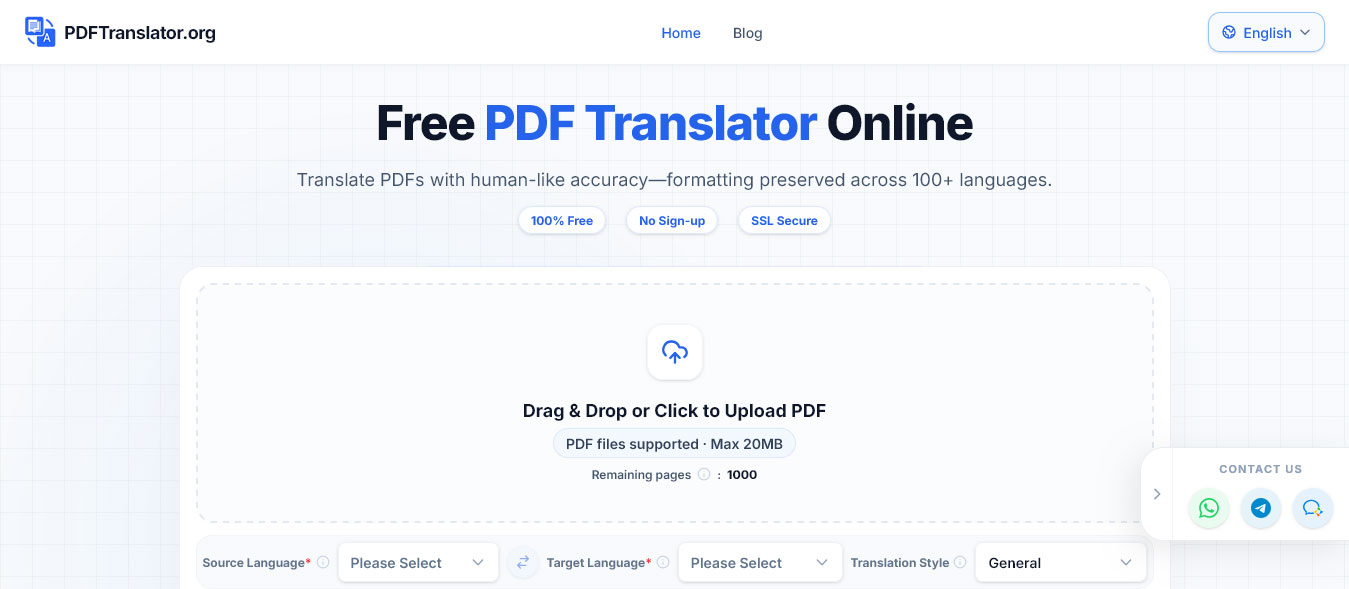
The benefit is not only speed. Translating a PDF as a file can preserve much of the relationship between headings, paragraphs, tables, images, and captions. For freelancers, remote workers, students, and small teams, this reduces the time spent rebuilding documents and makes the result easier to compare with the source.
AI translation still requires sensible habits. Users need to prepare the file, protect sensitive information, review important details, and store the translated version clearly.
Many productivity tools are designed around editable text. PDFs are different because their content is fixed into a page layout that may contain several independent elements.
When users copy content into a general text translator, relationships between headings, tables, footnotes, diagrams, and captions can disappear. Text may also be copied in the wrong order from a multi-column page, while table rows can become disconnected.
A manual workflow often involves:
These steps may be manageable for one page, but they quickly become inefficient when a document contains dozens or hundreds of pages.
Processing the complete PDF reduces the need to rebuild the file manually and helps preserve its original structure.
The correct workflow depends on how the translated document will be used. Not every file requires the same level of accuracy, formatting, or professional review.
A translated PDF can help users:
For these purposes, AI-assisted translation can provide a useful first version. Readers can identify relevant sections and compare important information with the original.
If the translated file will be shared with colleagues, make its status clear. Include the source version, target language, and review status in the file name.
For example, Supplier-Manual_EN_v1_Reviewed.pdf is more useful than translated-document-final2.pdf.
Contracts, financial statements, safety instructions, medical information, regulatory documents, and official certificates require additional care.
An AI translation may help an authorised user understand the content, but it should not replace qualified legal, financial, technical, medical, or certified translation when an error could have serious consequences.
A few minutes of preparation can prevent many translation and formatting problems.
Try selecting a sentence with the cursor. If the words can be highlighted, copied, and searched, the PDF is text-based and suitable for processing with PDFTranslator.
PDFTranslator currently supports text-based PDFs. It does not provide OCR or direct translation for scanned documents, image-only PDFs, or photographs of printed pages. If the text cannot be selected, use an appropriate external process to create a text-based PDF before uploading it.
Check the file name, date, page count, and visible version information. Translating an outdated document creates unnecessary work.
A long PDF may contain appendices, blank pages, duplicate forms, or reference sections that are not relevant to the task.
Removing unnecessary pages can:
Translate only the content required for the current purpose.
PDFTranslator.org supports files up to 20MB. Files that exceed this limit can be compressed or divided into smaller sections.
Useful divisions may include:
Logical sections preserve context more effectively than arbitrary page ranges and make review easier.
Compression can reduce file size, but excessive compression may make text, charts, and screenshots difficult to read.
After compressing a document, check that small text, tables, images, and selectable text remain clear. If compression reduces readability, splitting the PDF may be the better option.
PDFTranslator.org supports more than 100 languages, including English, Spanish, French, German, Chinese, Japanese, and Korean. It provides up to 1,000 free pages per calendar month without requiring registration or a credit card.
A simple translation workflow is:
Uploading the complete document helps retain the relationship between text and visual elements and avoids moving individual paragraphs between separate applications.
A translation can look polished without being completely accurate. Even documents used for general understanding should receive a basic review.
Open both files and move through them page by page. Confirm that sections appear in the same order and that important content is easy to locate.
Check:
The layout does not need to be identical in every detail, but it should preserve the document’s meaning and reading order.
Compare important details directly with the source:
Numerical and date formats vary between countries, so do not assume that a value is correct simply because the translated sentence reads naturally.
If a term appears several times, confirm that it is translated consistently. This is particularly important for technical components, job roles, product features, and specialised concepts.
A simple glossary can record the original term, preferred translation, definition, and approved abbreviation.
A few simple file-management habits can prevent duplicate work and version confusion.
Use file names that include the document name, target language, source version, and review status. Keep the source and translated files together in clearly labelled folders, such as:
01_Source02_Translations03_Reviewed04_ArchivedMark whether a file is AI translated, reviewed for internal use, or approved for external publication. This helps colleagues understand how much confidence they should place in the document.
For remote teams, assign one person to confirm the current source version, target language, reviewer, and storage location. Share links to the approved file instead of sending multiple attachments, and ensure that access permissions match the sensitivity of the material.
Productivity should not come at the expense of privacy. A PDF may contain personal information, customer data, internal prices, unpublished plans, or confidential technical details.
PDFTranslator.org uses SSL-secured processing and states that uploaded files are automatically deleted within 24 hours after translation.
Users still need to follow applicable contracts, workplace policies, institutional rules, and data protection requirements.
Before uploading a file, remove information that is not required for the translation, including:
If only three pages are needed, do not upload the entire document.
Highly restricted files may require an internally approved translation system or a provider operating under a specific enterprise agreement. When the correct process is unclear, consult the document owner, security team, legal adviser, or relevant institution before uploading the file.
The allowance of up to 1,000 free pages per calendar month can support frequent document translation.
To use it efficiently:
Before translation:
During translation:
After translation:
A free PDF translator is most useful when it removes repetitive work without removing human judgment. By preparing files carefully, checking the result, and storing translations consistently, users can turn an occasional translation task into a reliable everyday workflow.
Yes. A PDF translation tool can process the complete file, so users do not need to copy each paragraph into a separate text box. This also helps retain tables, images, headings, and paragraph order.
Check names, dates, numbers, terminology, tables, captions, lists, and page order against the source. Important legal, financial, academic, medical, or technical content may require specialist review.
Compress the document if readability can be maintained, or split it into logical sections such as chapters or appendices. After translation and review, the sections can be merged into a complete file if necessary.


Discover our other works at the following sites:
Danetsoft is a global web agency headquartered in Indonesia, specializing in web development, managed hosting, and web publishing platform.


 [email protected]
 Magelang, Central Java
 © 2026 Danetsoft. Powered by HTMLy