Event registration software helps organizers set up sign-up pages and manage guest lists. It also handles payments and sends confirmations. Regpack and Eventzilla are among the best event registration software platforms. Accelevents, Arlo, and RegFox are also worth comparing.
Event needs can vary. A conference may have several sessions running at once. A workshop may limit seats or require approval. Some events also award credits. Without the right software, organizers must track bookings, signups, and credits themselves.
This guide compares five event registration software platforms. You'll find their features, prices, pros, and cons, along with usability notes and practical tips.
The five platforms in this comparison are Regpack, Eventzilla, Accelevents, Arlo, and RegFox. Each handles event registration differently. The table compares their main uses, starting prices, free plans or trials, and G2 ratings. Prices come from each provider's website:
| Tool | Best For | Starting Price | Free Plan or Trial? | G2 Rating |
|---|---|---|---|---|
| Regpack | Workshops and conferences with session-based registration and capacity limits | $400/month, billed annually. The processing fee rate starts at 1.5%. | No | 3.9/5 (~76) |
| Eventzilla | Conferences and workshops with online registration and event management | $1.50 per registration on the Basic plan | Free if your event is free for attendees | 4.4/5 (~166) |
| Accelevents | Conferences that must issue CE or CPD certificates | $7,500 for one event | Offers a free account through "Try for Free." It doesn't publish a trial duration. | 4.7/5 (~186) |
| Arlo | Recurring workshops, professional training, and course programs | $132/licence/month. $2.15 per paid registration and $1.07 per free registration. | 14-day free trial | 4.5/5 (~109) |
| RegFox | Affordable event registration for conferences, corporate events, and workshops | $0/month, plus $0.99 + 1% per paid registration (capped at $4.99) | Free to start, but RegFox charges per registration | 4.7/5 (~573) |
The five best event registration software platforms are Regpack, Eventzilla, and Accelevents. Arlo and RegFox are also part of the list. Learn about these platforms in detail below.
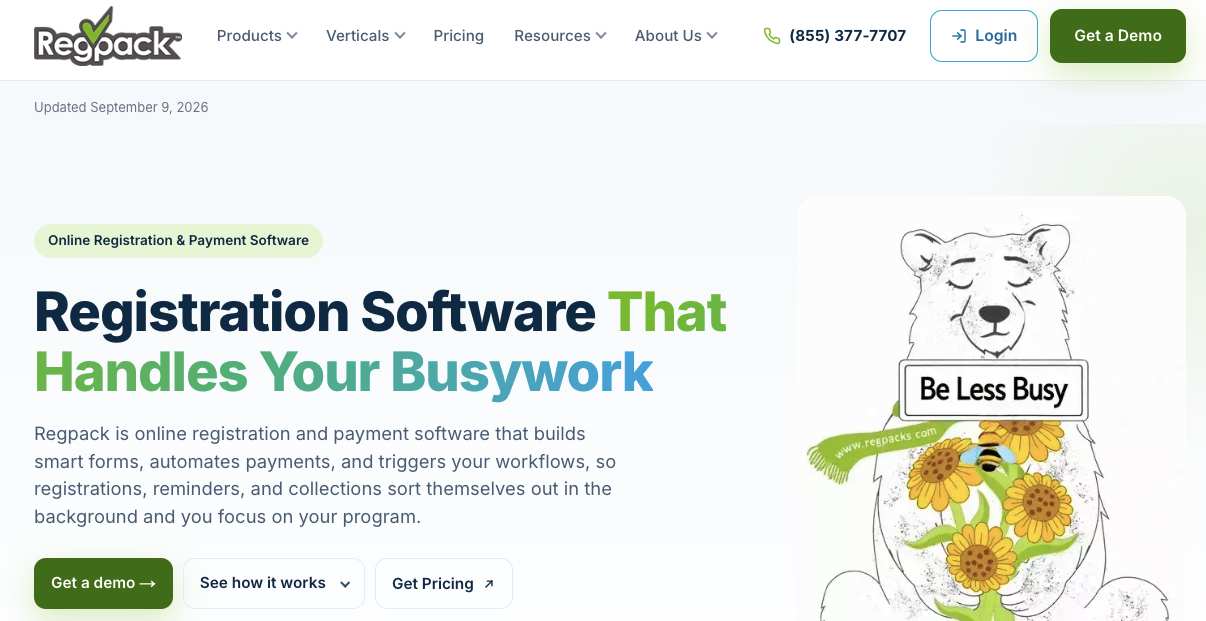 Image via Regpack
Regpack is one of the best event registration software options for conferences and workshops. It also handles online registration and payment processing. The platform serves over 6,000 organizations. Regpack reports 94% retention after onboarding and a 30% revenue increase.
Key Features
Pros
Cons
Pricing
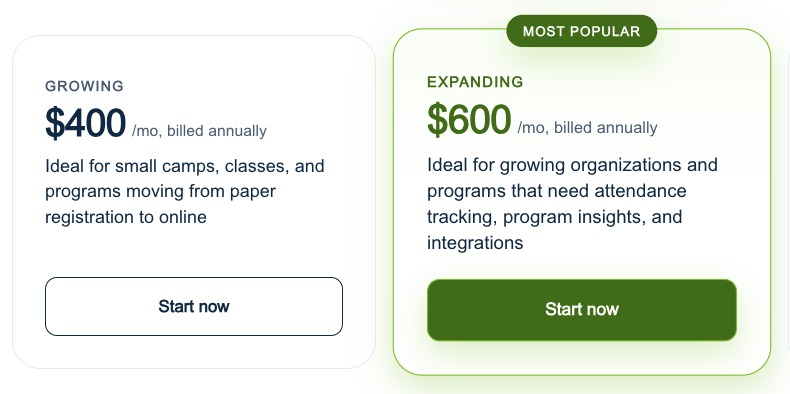 Image via Regpack
Usability
Pro Tip: Set capacity limits for popular workshop sessions to prevent overbooking. Use waitlists to keep track of attendees waiting for a spot.
 Image via Eventzilla
Eventzilla is one of the best event registration software options for managing signups and promoting events. It serves over 50,000 organizers worldwide. The platform has helped create 200,000+ event websites and processed over 7,000,000 payments.
Key Features
Pros
Cons
Pricing
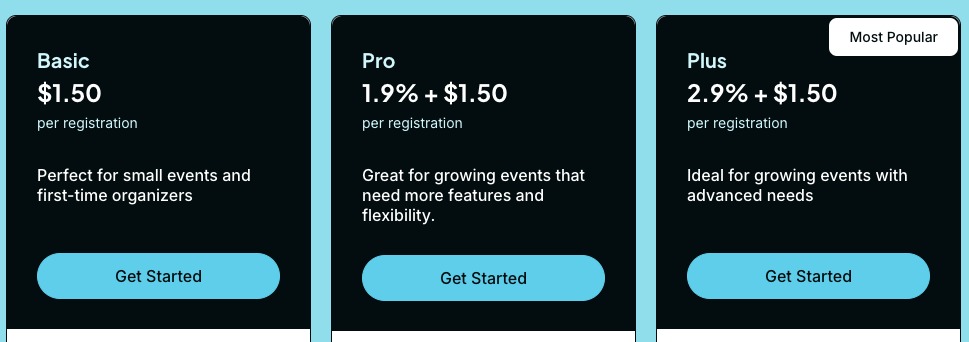 Image via Eventzilla
Usability
Pro Tip: Confirm your currency works with the payment option you intend to use.
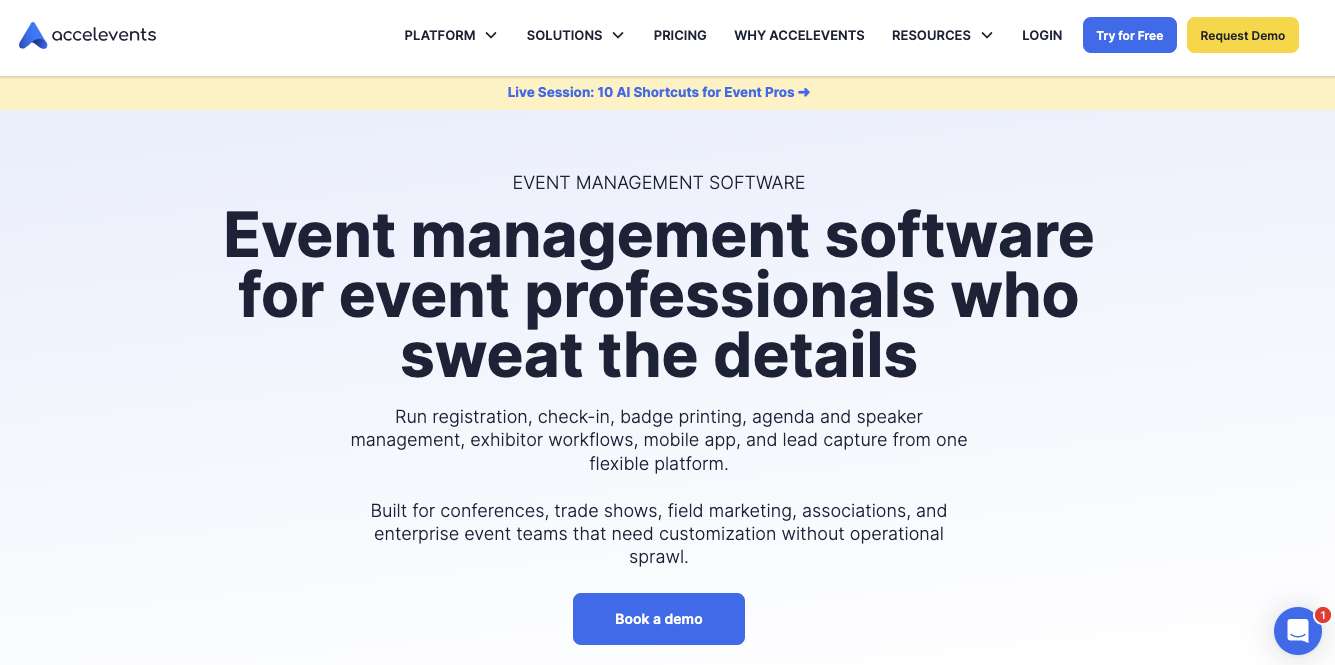 Image via Accelevents
Accelevents is one of the best event registration software platforms for conferences that award CE credits. It tracks completed sessions and lets eligible attendees download certificates. It suits conferences where attendees need proof of professional development.
Key Features
Pros
Cons
Pricing
 Image via Accelevents
Usability
Pro Tip: Check that your accreditor accepts Accelevents' certificate format before you sign up.
 Image via Arlo
Arlo is one of the best event registration software options for recurring workshops. It reports 375K courses scheduled, 7.5M people trained, and $3B in training sales.
Key Features
Pros
Cons
Pricing
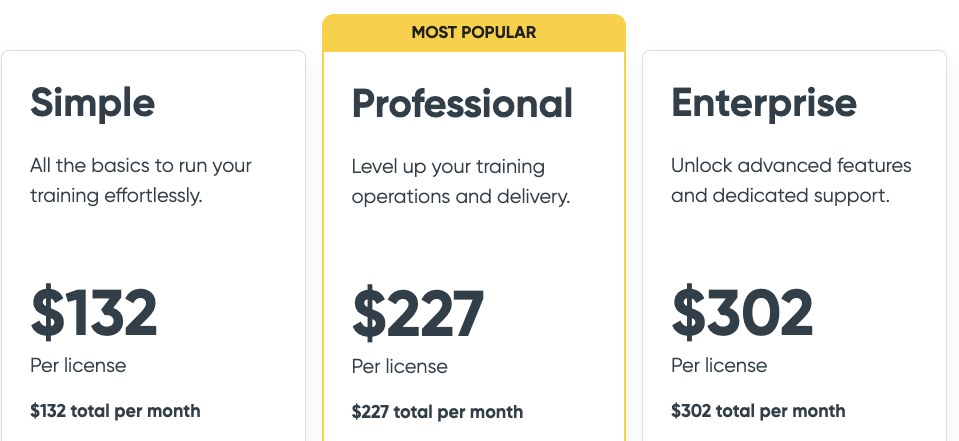 Image via Arlo
Usability
Pro Tip: Bundle related workshops so attendees can register for them in one checkout.
 Image via RegFox
RegFox is among the best event registration software that offers an affordable way to manage event signups. It reports that over 50,000 organizations have processed more than $5.8 billion through the platform.
Key Features
Pros
Cons
Pricing
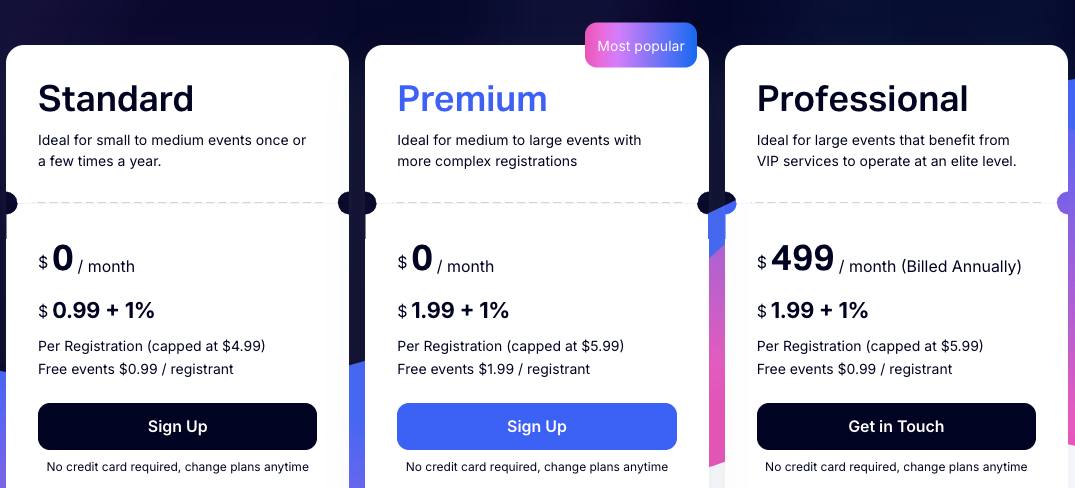 Image via RegFox
Usability
Pro Tip: Use conditional logic to show attendees only the questions relevant to their registration choices.
What Are the Best Event Registration Software Platforms, and How Do You Choose One?
Your choice depends on your event format, registration needs, and budget. Regpack, Eventzilla, and RegFox are online registration and payment software platforms. Accelevents supports conferences that award continuing education credits. Arlo suits recurring training courses and workshops.
1.What’s the difference between event registration software and event management software?
Event registration software handles signups, payments, and attendee details. Event management software covers more planning tasks. These include venue booking and speaker coordination.
2. What happens to a confirmed seat if the named attendee cannot come?
It depends on the platform. Some let organizers transfer bookings or change attendee details. Check the attendee management software provider's policy before booking.
3. Do the best event registration software platforms support virtual or hybrid sessions?
Many platforms accept registrations for virtual and hybrid events. However, hosting online sessions may cost extra. Check which virtual event features your plan includes.
Event registration software lets you manage signups and collect payments. It also helps keep attendee details organized. Regpack, Eventzilla, Accelevents, Arlo, and RegFox serve different event needs.
Some suit complex conferences, while others support recurring workshops or flexible payment options. Compare their features, plan limits, and fees before choosing. Then, pick the platform that best fits your event.
About the Author
Hannah Pauls is an AI Growth Marketer at Attrock, an AI SEO agency, and Colytics AI, an AI SEO software platform, specializing in AI SEO, AEO, GEO, AI search visibility, and content strategy. She focuses on helping brands strengthen their visibility across AI-powered search platforms, build their brand presence in AI-generated answers, drive sustainable organic growth, and adapt to the evolving AI search landscape through practical, data-driven strategies.
Social Accounts: Quora


Discover our other works at the following sites:
Danetsoft is a global web agency headquartered in Indonesia, specializing in web development, managed hosting, and web publishing platform.


 [email protected]
 Magelang, Central Java
© 2026 Danetsoft. Powered by HTMLy