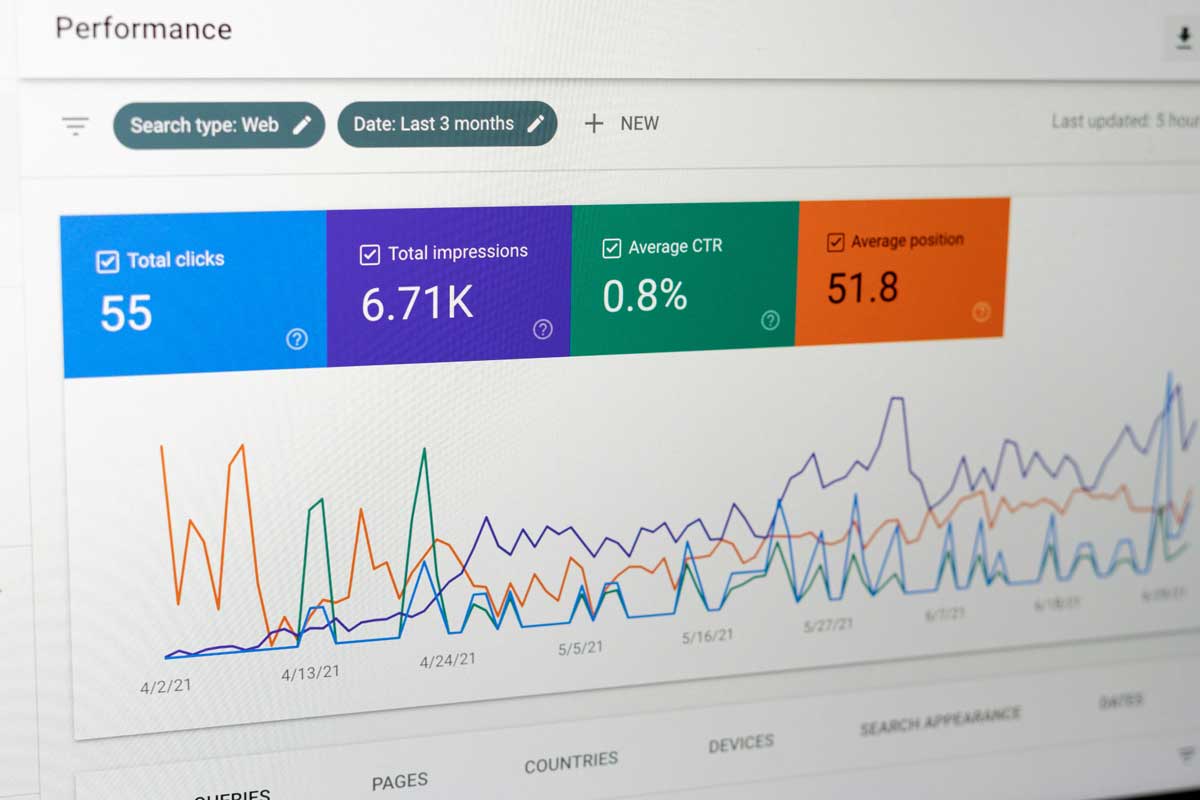
 Photo by Justin Morgan on Unsplash
Digital analytics tools sit at the center of modern decision-making. They show us where visitors come from, what they click, where they lose interest, and which actions lead to real business value. But with so many platforms available, it is easy to get overwhelmed. Some tools are built for marketing teams, some for product teams, some for privacy-sensitive organizations, and some for companies that need one place to combine data from many systems.
The challenge is not finding a tool that does “everything.” The real challenge is finding one that matches our goals, our team, and the kind of questions we ask every day. A platform can be powerful and still be the wrong fit. Another can be simpler and still deliver more value because it is easier for us to use consistently.
In this article, we look at some of the best digital analytics tools available today, what they do well, where they fall short, and when they make the most sense. The goal is to help us compare them in a practical way, so we can choose with confidence instead of guessing.
At their core, digital analytics tools collect data about online behavior and turn it into something we can understand and act on. That data may include:
The value of analytics is not just in counting visits. It is in showing us patterns. We can see which pages drive signups, which campaigns bring in high-quality users, which product features keep people coming back, and where customers quietly drop out.
Different tools focus on different layers of this picture. Some are strongest for website traffic. Others are designed around product behavior. Some help us understand user emotion and friction through recordings and heatmaps. Others bring all our data together into one dashboard. Because of that, the best tool depends on what we want to learn.
Before we look at specific platforms, it helps to set a few standards. A tool is only useful if it fits our workflow and answers the questions we actually care about.
We should ask how detailed the data model is. Can it track only visits, or can it also track events, funnels, cohorts, retention, custom dimensions, and user properties? A platform with a flexible data model gives us more room to grow.
Data is useless if we cannot make sense of it. Good analytics software should make it easy to explore trends, filter segments, build dashboards, and spot problems quickly. Clean reports often matter more than a long list of features.
Some platforms are fast to install and simple to use. Others need careful implementation, tag management, developer support, and regular cleanup. We need to think about how much time our team can realistically spend on setup and maintenance.
Analytics does not live alone. We often want it connected to ad platforms, CRM systems, email tools, data warehouses, BI tools, or customer support software. Strong integrations reduce manual work and give us a more complete view.
Privacy rules matter more than ever. Depending on where we operate and who we serve, we may need cookie consent support, data retention controls, IP masking, or tools that can be self-hosted. These factors can make or break a decision.
A tool may look affordable at first, then become expensive as our traffic, event volume, or team size grows. We should think beyond the entry-level cost and ask what scaling looks like.
Google Analytics 4, or GA4, is the platform many teams start with. It is widely used, free at the basic level, and deeply connected to the Google ecosystem.
GA4 gives us a broad view of website and app performance. It tracks events, engagement, conversions, and traffic sources. It also supports cross-device user tracking, which helps us understand how people move between channels and devices before converting.
For marketing teams, one of its biggest strengths is the connection to Google Ads. If we are running paid campaigns, GA4 helps us measure performance and tie traffic behavior back to acquisition efforts. That makes it especially useful for teams that rely on search and paid media.
Another advantage is familiarity. Many marketers already know the Google ecosystem, and there is a massive amount of support, documentation, and community knowledge available.
GA4 is not always easy to navigate. The interface can feel less intuitive than older versions of Google Analytics, and some reports require extra setup to become truly useful. If event tracking is not planned carefully, the data can become messy fast.
It is also not the best tool for deep product analysis. It can tell us what is happening on our site or app, but it is not always the most comfortable place for detailed behavioral exploration.
GA4 works well for marketing teams, small businesses, agencies, and anyone who wants a strong general-purpose analytics platform without a large upfront cost.
Adobe Analytics is one of the most advanced platforms in the digital analytics space. It is often used by large organizations with heavy reporting needs and dedicated analytics teams.
Adobe Analytics handles large and complex data environments well. It supports advanced segmentation, detailed analysis, and highly customized reporting structures. For organizations that operate across brands, regions, and business units, that flexibility matters a lot.
It is especially useful when we need to combine many data streams and go deep into audience behavior. Companies that already use Adobe Experience Cloud tools often find that Adobe Analytics fits naturally into their wider stack.
That power comes with complexity. Adobe Analytics is not usually something a small team can deploy casually. It often requires experienced setup, planning, and technical support.
Cost is another major hurdle. It tends to be a serious investment, which makes it more suitable for larger enterprises than for smaller teams. If we do not need advanced customization, the platform may feel bigger than our actual needs.
Adobe Analytics is best for large enterprises, media companies, and organizations with mature analytics operations and complex reporting requirements.
Matomo is popular with organizations that want more control over their data and a stronger privacy position. It can be self-hosted or used as a cloud product, which gives us flexibility.
One of Matomo’s biggest strengths is data ownership. If we self-host it, our data stays in our own environment. That can be a major advantage for public sector organizations, regulated industries, and privacy-conscious companies.
Matomo includes many features we would expect from a modern analytics platform, including page tracking, event tracking, goals, heatmaps, and session recordings in some plans. The interface feels familiar enough for teams that have used traditional web analytics tools before.
Matomo has a smaller ecosystem than some of the larger platforms. It may not offer the same volume of integrations or community resources. Some advanced functions also depend on paid add-ons.
If we self-host, we also take on more maintenance responsibility. That means technical overhead can become part of the package.
Matomo is a strong option for organizations that care deeply about privacy, compliance, and data control, especially nonprofits, public institutions, and European businesses.
Mixpanel is a favorite among product teams because it focuses on event-based analytics. It helps us understand how people use apps, SaaS products, and digital features.
Mixpanel is very good at tracking what users do after they sign up or log in. We can follow activation steps, feature usage, onboarding flows, and purchasing behavior. Its funnel, retention, and cohort tools are especially useful when we want to understand how behavior changes over time.
This makes it a strong fit for SaaS businesses, mobile apps, and subscription products. We can see which actions lead to long-term use and which moments cause people to fall away.
The interface is also usually easier to work with than some heavier enterprise systems. It is focused on product questions, so teams can move quickly when they need answers.
Mixpanel is not a great replacement for a full marketing analytics tool. It is not built primarily for SEO reporting, campaign attribution, or broad traffic analysis. If our main focus is website acquisition, we may want something more general.
As usage and event volume grow, pricing can also become a concern.
Mixpanel is ideal for product managers, growth teams, and SaaS companies that want to understand user behavior inside a product.
Amplitude is another leading product analytics platform, often compared with Mixpanel. It is especially good for understanding how users move through a product and what keeps them engaged.
Amplitude gives us strong visibility into behavior, retention, and cohorts. We can study user journeys, compare segments, and see which actions lead to long-term engagement. It is very helpful when we want to answer questions like:
Amplitude also supports experimentation and audience building, which makes it valuable for teams running growth tests or personalization efforts.
Like Mixpanel, Amplitude is more product-focused than marketing-focused. If we want straightforward website traffic reports, it may feel too specialized. Some smaller teams may also find the setup and pricing more than they need.
Amplitude is a good choice for product-led companies, digital products, mobile apps, and larger teams that need serious behavior analysis.
Not every insight comes from charts and tables. Sometimes we need to see how people actually behave on a page. Hotjar helps us do that.
Hotjar offers heatmaps, session recordings, surveys, and feedback tools. These features show us where users click, how far they scroll, where they hesitate, and where they leave. That makes it especially useful for conversion rate optimization and user experience work.
It helps us get beyond numbers and into context. A page may look fine in analytics, but a recording can reveal confusion, frustration, or missed expectations that numbers alone would not show.
Hotjar is not a full analytics suite. We would not rely on it for traffic reporting, attribution, or deep product measurement. It works best as a companion to another analytics platform.
Because it records behavior, we also need to think carefully about privacy and consent.
Hotjar is a strong match for marketers, designers, UX teams, and CRO specialists who want qualitative insight into how users interact with pages.
Piwik PRO is often seen as a middle ground between traditional analytics tools and enterprise-grade privacy solutions.
Piwik PRO combines analytics, tag management, consent management, and audience building in one platform. That makes it attractive for organizations that need stricter governance and clear privacy controls.
It is often used in sectors where compliance matters a great deal, such as healthcare, finance, and government. The platform offers a more managed experience than a fully self-hosted setup while still keeping privacy front and center.
Piwik PRO may not feel as familiar as Google Analytics to many marketers, and it does not have the same brand recognition or community size. Pricing may also be more suitable for enterprise environments than for very small teams.
Piwik PRO is a smart option for organizations that need privacy-first analytics with enterprise-friendly controls.
Tableau and Power BI are not digital analytics tools in the strictest sense, but they matter a lot when we want to connect analytics with the rest of the business.
These platforms are excellent for building dashboards from multiple data sources. We can combine web analytics, CRM data, sales figures, marketing spend, product metrics, and operational data in one place.
That makes them especially useful for leadership teams and analysts who need a broader business view. Instead of looking at each platform separately, we can build a reporting layer that reflects the whole customer journey.
They do not collect website or app behavior on their own. We need to connect data sources first, which means the quality of the reporting depends on the quality of the data pipeline.
They also require more modeling and reporting skill than many teams expect.
Tableau and Power BI work best for businesses that already have several systems in place and want a unified reporting environment.
| Tool | Main Strength | Main Weakness | Best For |
|---|---|---|---|
| Google Analytics 4 | Broad website and app tracking | Can feel confusing | Marketing teams, small businesses |
| Adobe Analytics | Deep enterprise analysis | Cost and complexity | Large organizations |
| Matomo | Privacy and ownership | Smaller ecosystem | Privacy-focused teams |
| Mixpanel | Product event tracking | Less useful for marketing reporting | SaaS and product teams |
| Amplitude | Retention and behavioral insight | Product-centric | Product-led companies |
| Hotjar | Heatmaps and session recordings | Not a full analytics suite | UX and CRO teams |
| Piwik PRO | Privacy-first enterprise analytics | Higher cost | Regulated industries |
| Tableau / Power BI | Cross-source reporting | Needs connected data | BI and executive reporting |
The best tool depends on the question we want answered most often.
If we need a general web analytics platform with a strong free entry point, GA4 is often where we start. If we run a product-led business and need to understand behavior inside an app or platform, Mixpanel or Amplitude may be a better fit. If privacy and ownership are top priorities, Matomo or Piwik PRO deserves attention. If we want visual insight into how users interact with pages, Hotjar adds context that pure numbers cannot give us. If we need cross-source reporting for the whole business, Tableau or Power BI can pull the pieces together.
We should also consider the people who will use the tool every day. A platform is only valuable if our team can read it, trust it, and act on it. The most advanced system in the world will not help us much if it is too hard to use.
Digital analytics tools are not just about traffic counts. They help us understand behavior, identify friction, measure growth, and make decisions with more confidence. The right platform depends on our goals, our data needs, and the way our team works.
GA4 remains the common starting point for general analytics. Adobe Analytics serves large enterprise environments. Matomo and Piwik PRO appeal to privacy-focused organizations. Mixpanel and Amplitude are strong for product behavior and retention analysis. Hotjar adds a human layer through recordings and heatmaps. Tableau and Power BI help us combine data from many sources into one business view.
In the end, the best digital analytics tool is the one that helps us see what matters, understand it quickly, and use it to make better decisions.


Discover our other works at the following sites:
Danetsoft is a global web agency headquartered in Indonesia, specializing in web development, managed hosting, and web publishing platform.


 [email protected]
 Magelang, Central Java
 © 2026 Danetsoft. Powered by HTMLy