 Photo by Sanket Mishra on Pexels
Our studio builds websites and runs small marketing campaigns. That means we try a lot of AI tools. A new one shows up in a client call, someone wants to check it before lunch, and ten minutes later we have another login, another password and another newsletter we never asked for.
Last quarter we counted. Five people, thirty one accounts on AI services, most of them opened once.
So we changed the rule. Before anyone signs up for anything, they try a tool that works with no account at all. If that covers the job, we stop there. This post is the short list we ended up with, ranked by how often each one actually solved the task in front of us.
It sounds like a small thing. It is not.
Every account is a place where a client brief, a draft headline or a product description can sit on someone else's server under a personal email. When a freelancer leaves, those accounts leave with them. Nobody remembers which tool got which file.
There is also plain time. Confirming an email, picking a plan, closing the upgrade popup. Do that twelve times a week and it adds up to an afternoon.
Our test was simple. Open the tool in a private browser window, give it a real task from our queue, and see if it finishes without asking who we are.
Each tool got a grade on four things we care about:
Grades are A, B or C. Nothing here is a disaster. Some tools are just narrower than others.
This is the one we open first now.
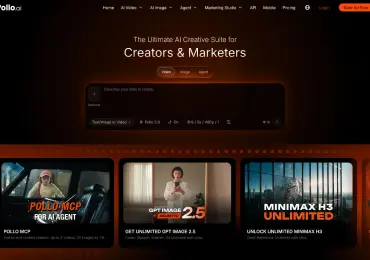
Rewind keeps an ai free no sign up hub where nearly every tool on the site runs before you type an email address. Chat, writing, code, images, transcription, text to speech. It is one place, and the limit is shared across all of it.
The limit is clear, which we liked. Without an account you get 2,500 tokens a day, and the pool refills every 24 hours. A free account doubles that to 5,000. For our use, a few product descriptions, a code snippet and a quick summary of a client call, the no-account pool was enough most days.
What we used it for in one week:
The weak spots are honest ones. Video tools need a free account. And on a heavy day the no-account pool runs out, so the person doing bulk copy ended up registering. That is still one account for the whole toolbox instead of six.
If the task is only chat, this is a calm option. You pick a model, ask your question, and nothing ties the conversation to you. We used it for quick research questions when someone did not want a client name typed into a service with history.
It is chat only, though. No images, no audio, no code runner. Good at one thing.
Our developer likes this one. It runs open models from Hugging Face, and you can try it without signing in. The answers on technical questions were solid.
The catch is speed on busy hours, and you will want an account if you care about saving history. For one-off questions it was fine.
Useful for search with sources, and you can run a handful of queries without logging in. For checking a fact before it goes into client copy, it did the job.
Past a few searches it starts nudging you toward an account, and anything beyond search sits behind it. We treat it as a lookup tool, not a workspace.
It works without signing in for basic chat, and the image tool is decent when it cooperates. In our tests the limits arrived quickly and it asked us to sign in sooner than we expected. Fine in a pinch.
| Tool | No email needed | Covers | Daily allowance without account | Our grade |
|---|---|---|---|---|
| Rewind.ai | Yes, most tools | Chat, writing, code, images, audio | 2,500 tokens, refills every 24h | A |
| DuckDuckGo AI Chat | Yes | Chat | Not published | B |
| HuggingChat | Yes | Chat | Not published | B |
| Perplexity | For a few queries | Search | A few searches | C |
| Microsoft Copilot | For basic chat | Chat, images | Tight | C |
The account count went down. That was the point.
More useful, people stopped guessing which tool to use. The rule is now written on our team wiki in one line: start with the no-account option, register only when the work proves you need it. New hires get it on day one.
A small warning from experience. No account also means no history. If a draft matters, copy it into your own document before you close the tab. We lost one good headline that way. Once.
If your team is drowning in logins the way ours was, try the same experiment for a week. Count the accounts on Monday, count again on Friday. Ours went from thirty one to nine.


Discover our other works at the following sites:
Danetsoft is a global web agency headquartered in Indonesia, specializing in web development, managed hosting, and web publishing platform.


 [email protected]
 Magelang, Central Java
 © 2026 Danetsoft. Powered by HTMLy